EN 34 2011/04
OptiBean
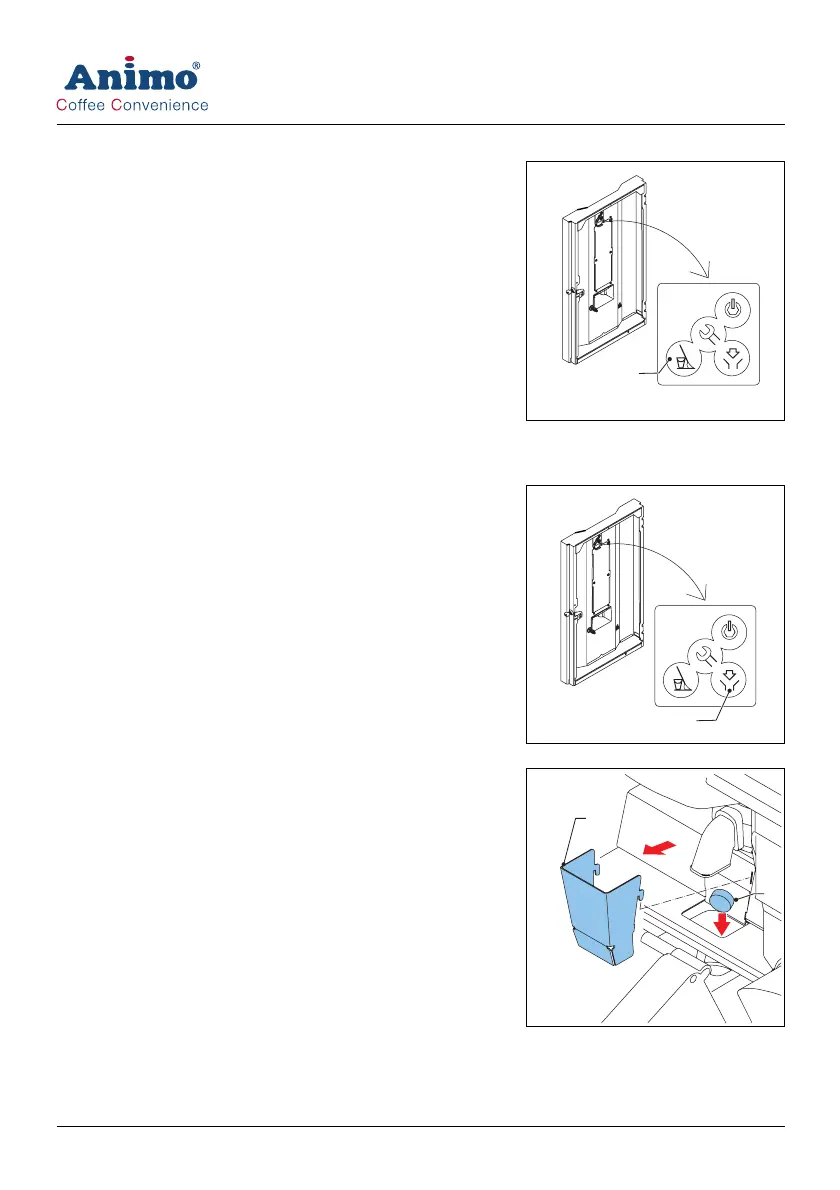
6.2.4 Using the rinsing program
1 Open the machine door.
2 Press the rinsing button (A) from the control panel on the
inside on the machine.
3 Close the door of the machine.
4 Place a bowl (min. 1.5 l) under the outlet.
5 Follow the instructions on the display.
6.2.5 Using the cleaning program
1 Open the machine door.
2 Press the cleaning button (A) from the control panel on the
inside of the machine.
3 Follow the instructions on the display.
4 Remove the guide (B).
5 Put the cleaning product (C) in the brewer.
6 Close the door of the machine.
7 Replace the guide (B).
8 Place a bowl (min. 1.5 l) under the outlet.
A
A
B
C













 To Next Page