EN 71 2015/02 Rev. 1.0
OptiFresh Bean
4Operation
Only use the following products:
• Coffee beans
• Instant products
• Sugar suitable for vending machines
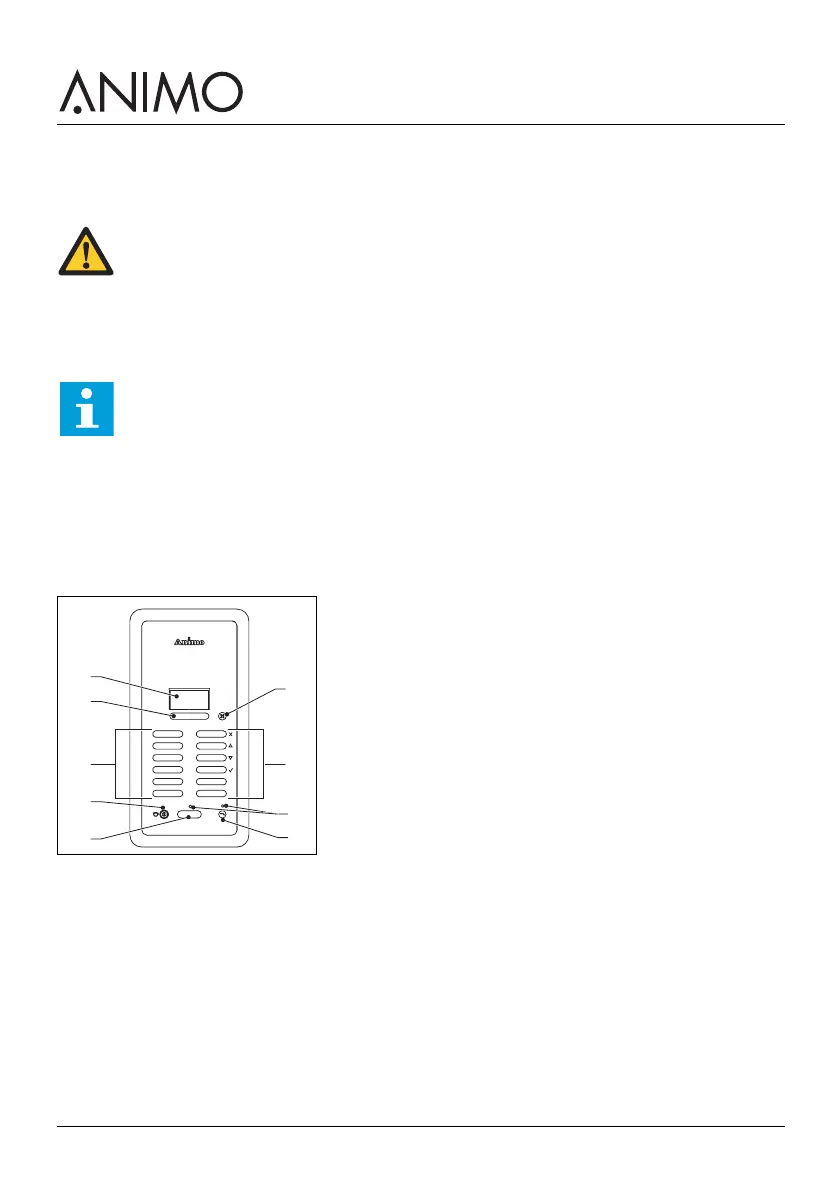
4.1 Overview control panel
A: Display
B: Strength buttons
C: Recipe selection buttons / Cancel button / Navigation buttons / Confirm button
D: Jug lock
E: Recipe dispensing button
F: Water dispensing button
G: Dispensing LED
H: Stop button
WARNING
• Inspect the machine for damage before use.
• Do not submerge or hose down the machine.
• Do not use sharp objects to operate the buttons.
• Keep the operating controls free of dirt.
• Unplug the machine and unplug the water supply when the machine is not used for a
longer period of time.
Note
The energy safe mode is activated by default.
H
C
A
D
E
B
C
G
F













 To Next Page