Page 17 of 36
• The Robot will return to its charging dock when the battery is low.
• Once fully charged, the Robot is ready to use again.
Note: Carpeted surfaces will use more power so the battery will not last
as long as if just cleaning a hard-smooth floor surface.
7.3 Charging the Robot – Direct Charging
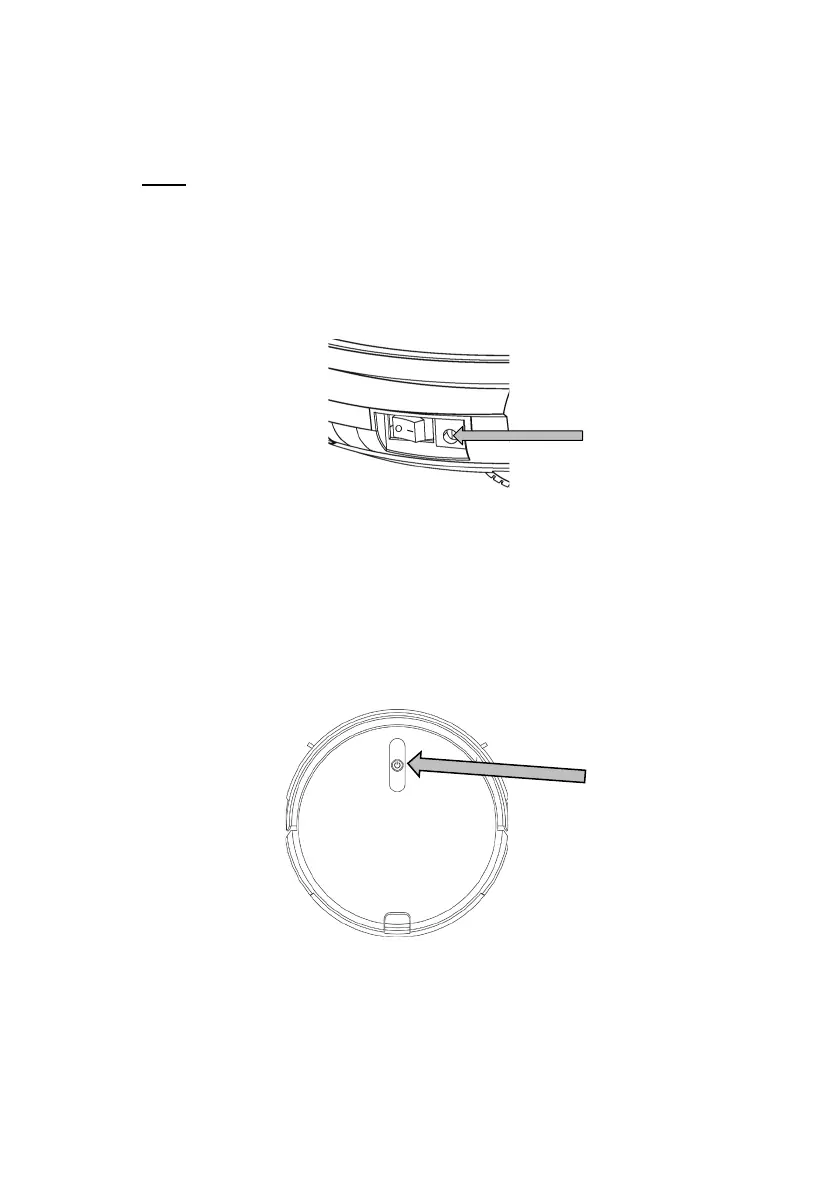
• The Robot can also be charged by connecting the Battery Charger plug
directly into to the DC recharging port on the side of the robot.
• The average charging time between cleanings is approximately 5 hours.
• If the robot is not used on a regular basis recharge the robot at least once
a month to maintain the battery.
8 Controls
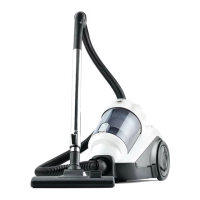
8.1 Robot Top Control Button
This Button is used to Start and to Pause the Robot.
• Press this button while in standby mode and the robot will begin to clean in
Normal Mode.
• The button will be illuminated Blue colour when in standby mode



 To Next Page