Page 24 of 36
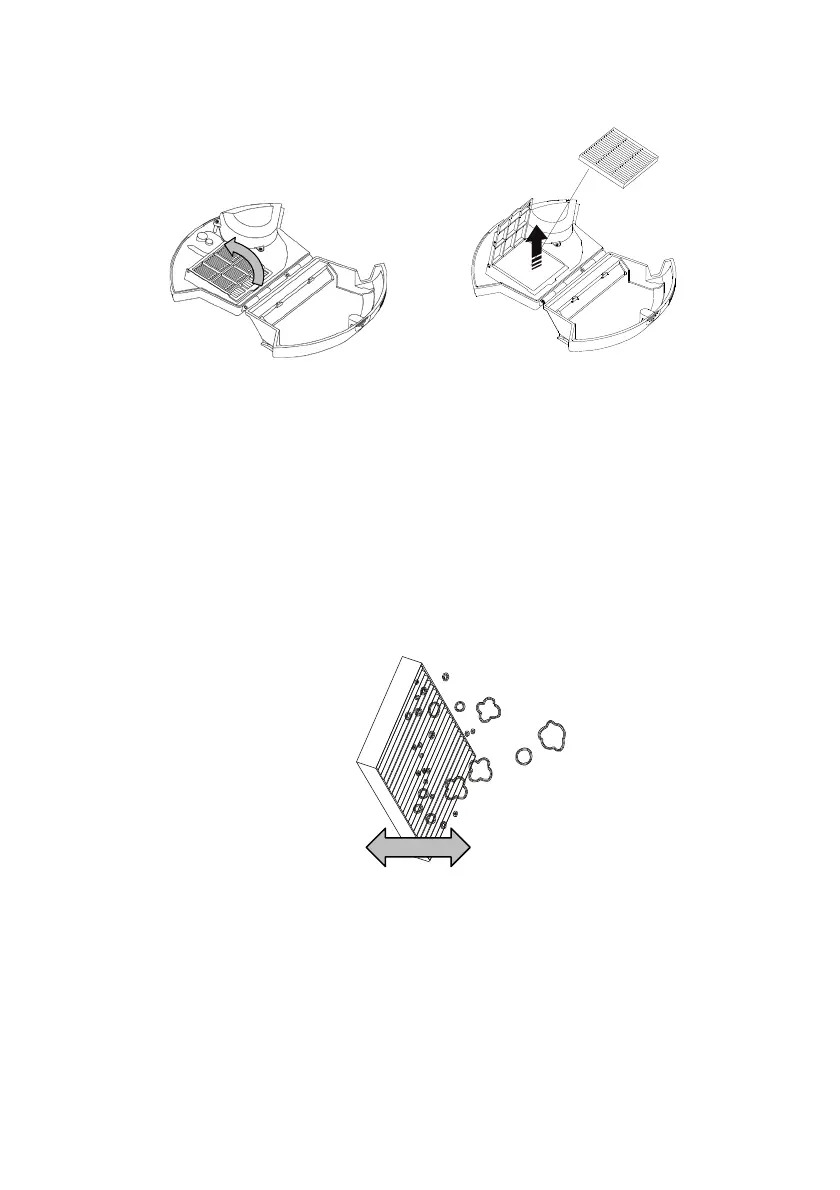
• To remove the white filter, first swing open the mesh filter, which is
holding the white filter in place.
• Grasp the tag on the white filter and pull up and out
Note: The small brush stored on the top of the Charging Dock can be
used to help clean the dust canister, mesh filter and white filter.
DO NOT wash the white filter, mesh filter or the dust canister, or get them
wet. Use a dry clean cloth to wipe over the dust canister.
• Tap the white filter on the side of the rubbish bin to dislodge the dirt and
dust and give it a brush to remove the small particles, or use a normal
vacuum cleaner with a hose attachment to suck the dirt and dust out.
• Refit the filter (or replace with a new one), then close the mesh filter.
• Refit the dust canister to the vacuum cleaner.



 To Next Page