3-8 Amplitude Accuracy Chapter 3 — Spectrum Analyzer Verification
3-14 PN: 10580-00324 Rev. N S412E MM
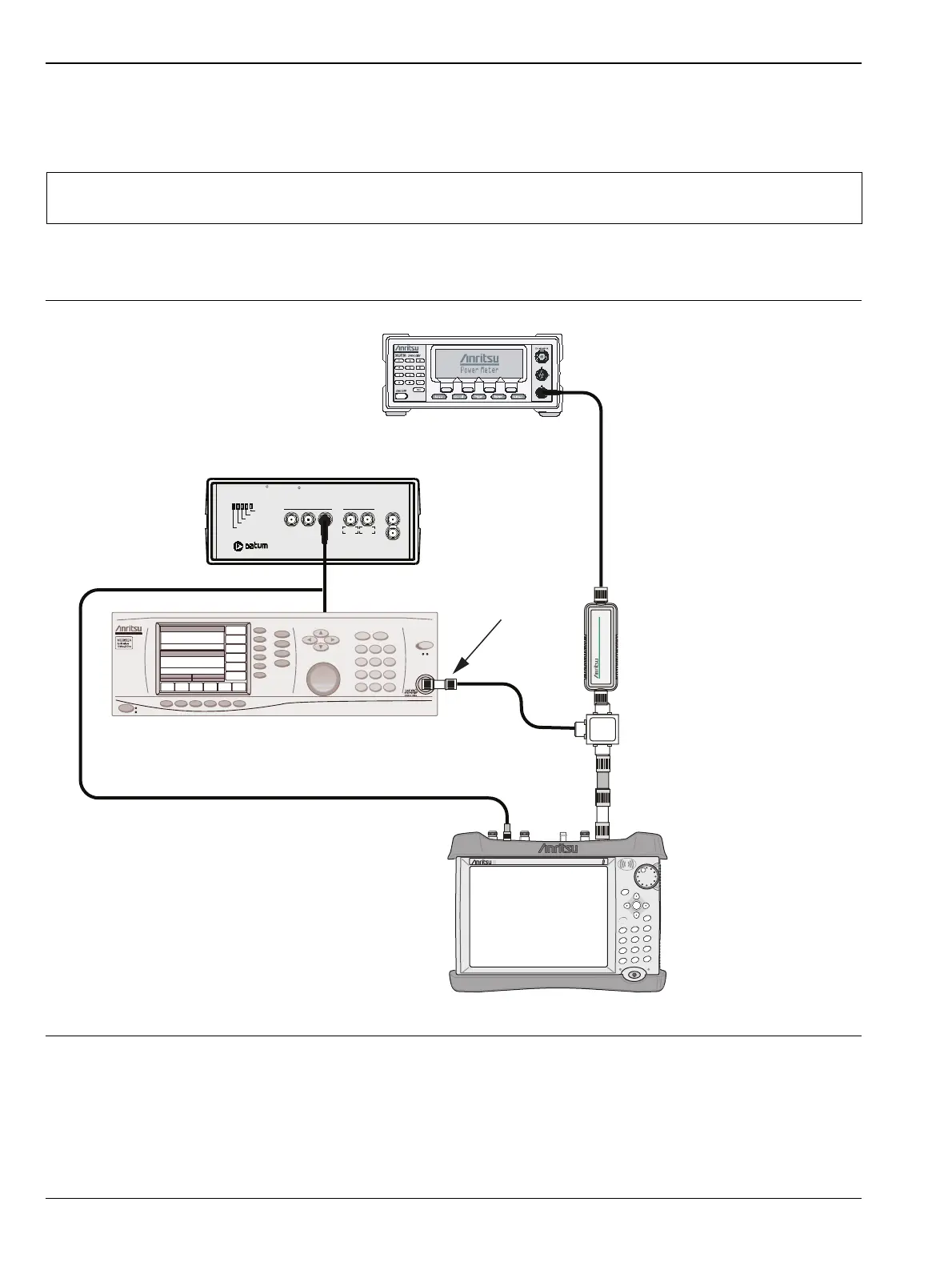
50 MHz Amplitude Accuracy Measurements
1. Disconnect Sensor A from the 10 dB Fixed Attenuator and then install the 34NN50A Adapter to the end
of the attenuator.
2. Connect the open end of the 34NN50A Adapter to the RF In connector of the S412E as shown in
Figure 3-2.
3. On the S412E, press the Shift key and then the Mode (9) key. Use the rotary knob to highlight
Spectrum Analyzer and then press the Enter key to switch to Spectrum Analyzer.
Note
To maintain test setup integrity, do not disconnect Sensor B, the Power Splitter or the Fixed
Attenuator.
Figure 3-2. Amplitude Accuracy Verification Test Setup
S412E LMR Master
Power Charge
+/-
.
0
3
Sweep
2
Calibrate
1
Preset
6
Limit
5
Trace
4
Measure
9
Mode
8
System
7
File
Shift
Back
Enter
ESC
LMRMaster
S412E
MG3692x Synthesized Signal Generator
ML2438A Power Meter
Sensor B
1870A
Power Splitter
Adapter
N(m) to N(m) Adaptor
10 dB Attenuator
10 MHz Reference
Oscillator Warmup
Oscillator Ready
Failure
1 PPS Sync
1 PPS OUT
1 MH z 5 MHz 1 0 MH
5 MHz 10 MHz
Sine wave Out AUX
1 PPS IN
Power
TESTIME
PLUS
R
RubiSource T&M
R



 To Next Page