22
COPY
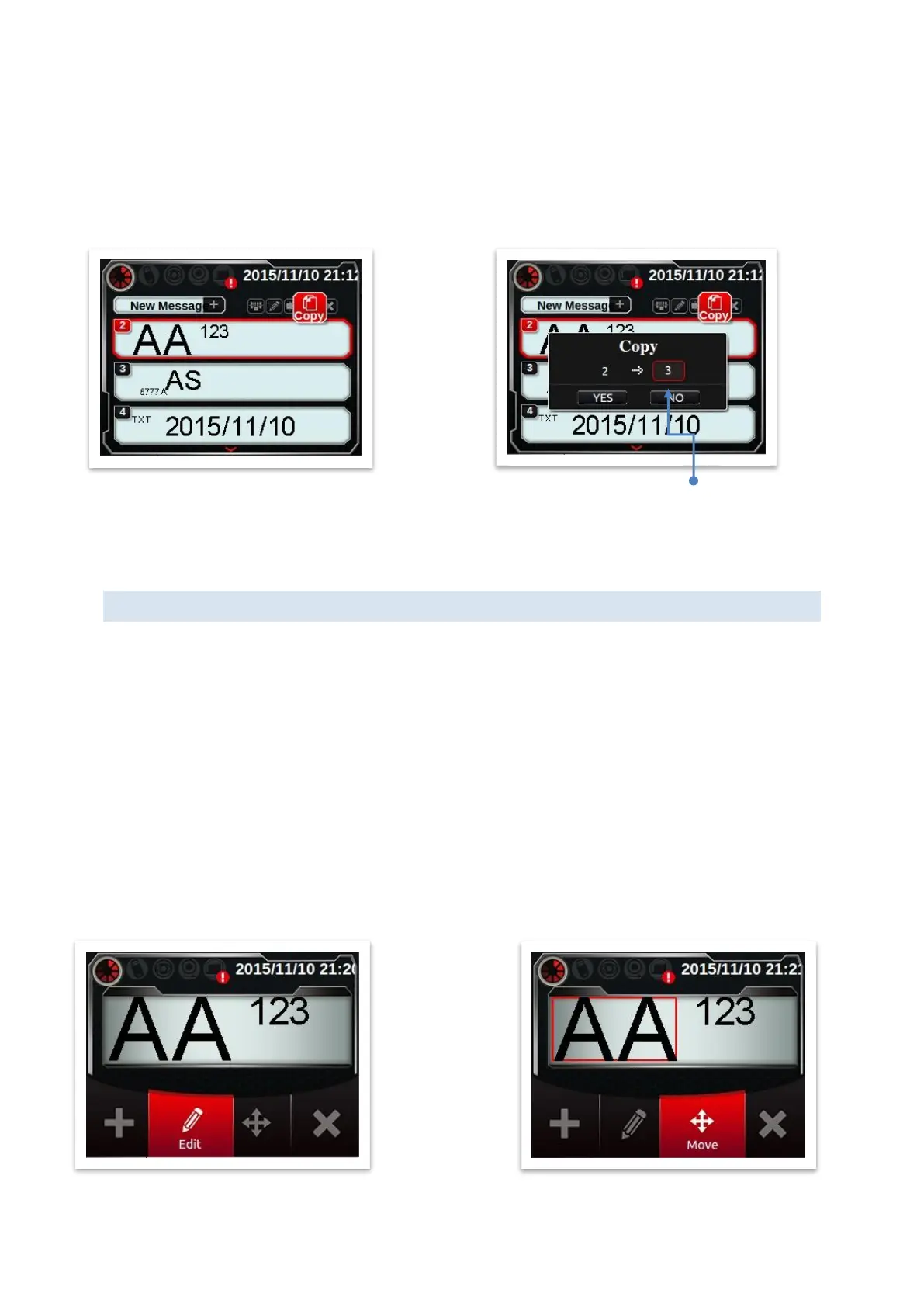
Copy a message from one to another. Default message# is 1
st
empty message#.
Assume current message directory have message 2, 3 and 4.
If you want to copy [MSG 2], default target is [MSG 5]. (1
st
empty number)
Press [YES], [MSG 2] will be copied to [MSG 5].
Delete
Press [Delete] could delete message selected now.
MODIFY MESSAGE OBJECT
Select [Home]→[Browse]→[Select Message], there are 4 functions on this page: add,
modify, move and delete object.
ADD OBJECT
[New Object] and [Edit Object] could setup object properties as above.
After set properties, you will get into move object page. Initial position of object is right
most edge of message.
SELECT OBJECT
Press function [Modify], [Move] and [Delete], you will see object select page below.
Use [▲][▼] to switch selected object, [Enter] for start function.
Notes: [◄][►] could scroll view horizontally.
User could change target
message. (ex: [MSG 3])



 To Next Page