EN
100
AUTOMATIC STARTING AND STOPPING
TIMER OFF → TIMER ON
(on→ stop→ start)
This function is useful, for example, to switch o the
appliance after you have gone to bed and to start it
again before you get up.
Example
Follow the instructions below to set automatic stop
in 2 hours and automatic start in 10 hours.
1. Press TIMER OFF.
2. Press the TIMER OFF button repeatedly
until 2.0h is shown on the display on the
remote control.
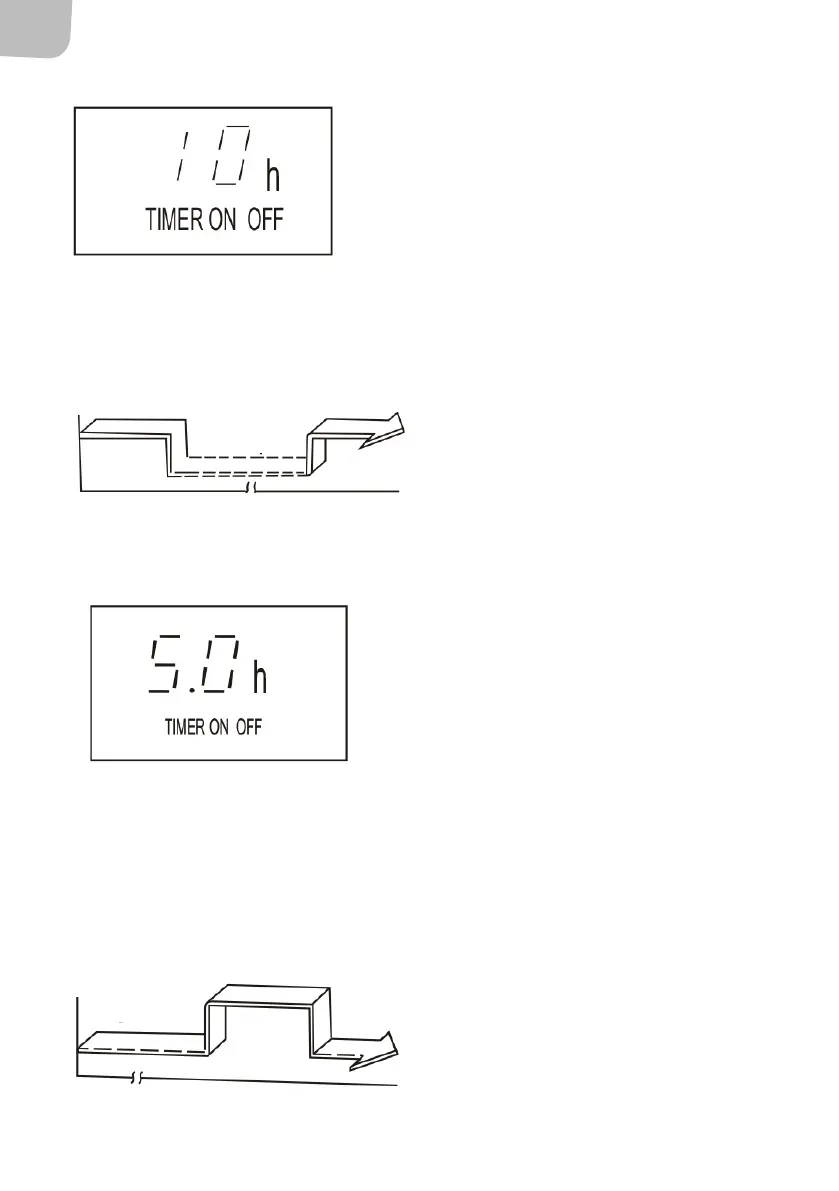
3. Press TIMER ON.
4. Press the TIMER ON button repeatedly
until 10h is shown on the display on the
remote control.
5. Wait about 3 seconds until the
temperature display is reset.
Stop
Start
Setting
On
2 hours later 10 hours later
TIMER ON → TIMER OFF
(switched o→ start → stop)
This function is useful, for example, to start the
appliance before you get up and to switch it o
after you have left the house.
Example
Follow the instructions below to set automatic start
in 2 hours and automatic stop in 5 hours.
1. Press TIMER ON.
2. Press the TIMER ON button repeatedly
until 2.0h is shown on the display on the
remote control.
3. Press TIMER OFF.
4. Press the TIMER OFF button repeatedly
until 5.0h is shown on the display on the
remote control.
5. Wait about 3 seconds until the
temperature display is reset.
IMPORTANT:The mode that comes up rst (TIMER
ON or TIMER OFF) takes place rst.
Setting
2 hours later
10 hours later
Start
Stop
Switched o


 To Next Page