EN
97
Dehumidication
Check that the appliance is connected to the mains.
The status light on the appliance goes on.
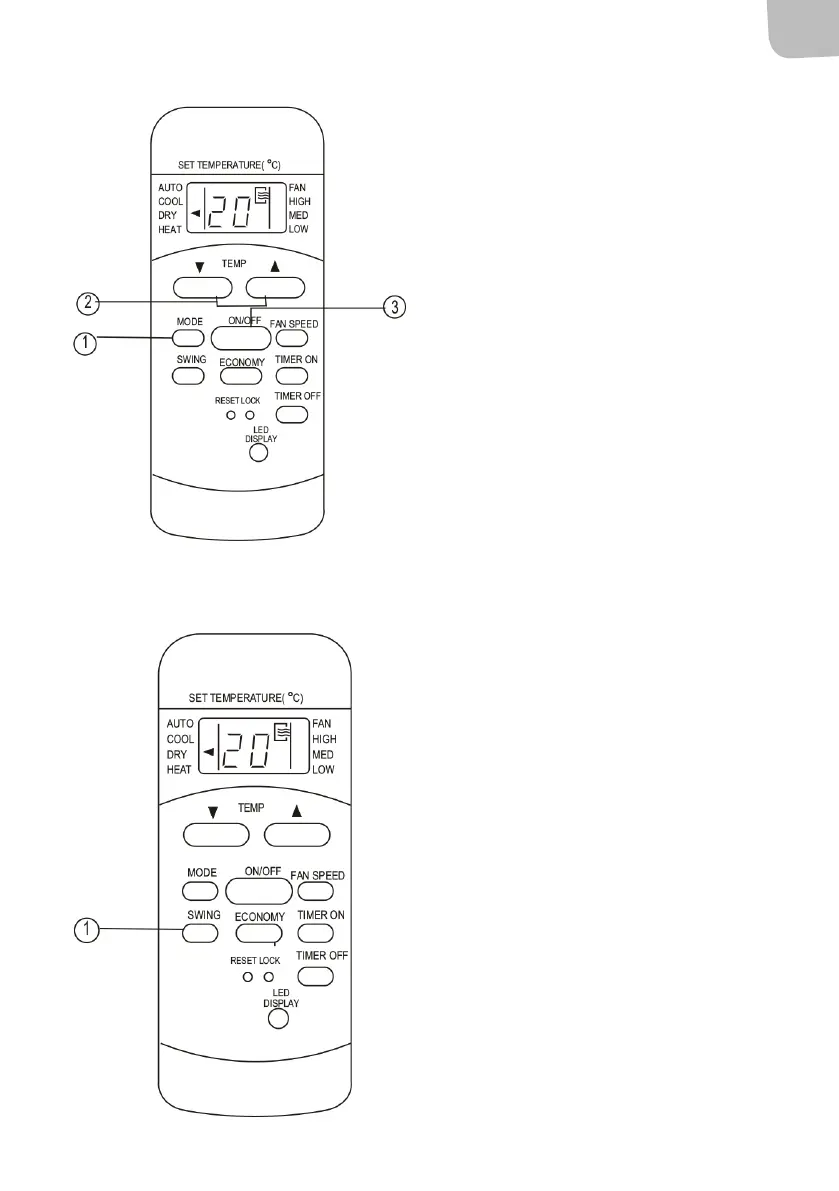
1. Press the MODE button until DRY mode is
activated.
2. Press the TEMP button to set the required
temperature from 17 to 30°C in steps of
1°C or from 62 to 88°F in steps of 1°F.
3. Press the ON/OFF button to start the
appliance.
NOTE: In DRY mode it is not possible to set the fan
speed. The fan speed is controlled automatically.
Swing (some models)
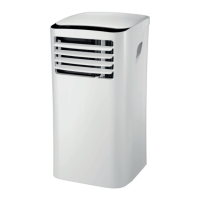
Press the SWING button to adjust the air deector.
1. Tap the button to swing the air deector.
The air deector moves 6° each time
the button is pressed. Press repeatedly
to move the air deector to the required
position.
NOTE: On some models the button only activates
automatic swing.
2. Automatic swing is activated if the button
is pressed for more than 2 seconds. The air
deector swings backwards and forwards
continuously. Press again to stop the
movement.
NOTE: If the air deector comes in a position that
aects the cooling/heating function, the direction
of the air is changed automatically.


 To Next Page