17
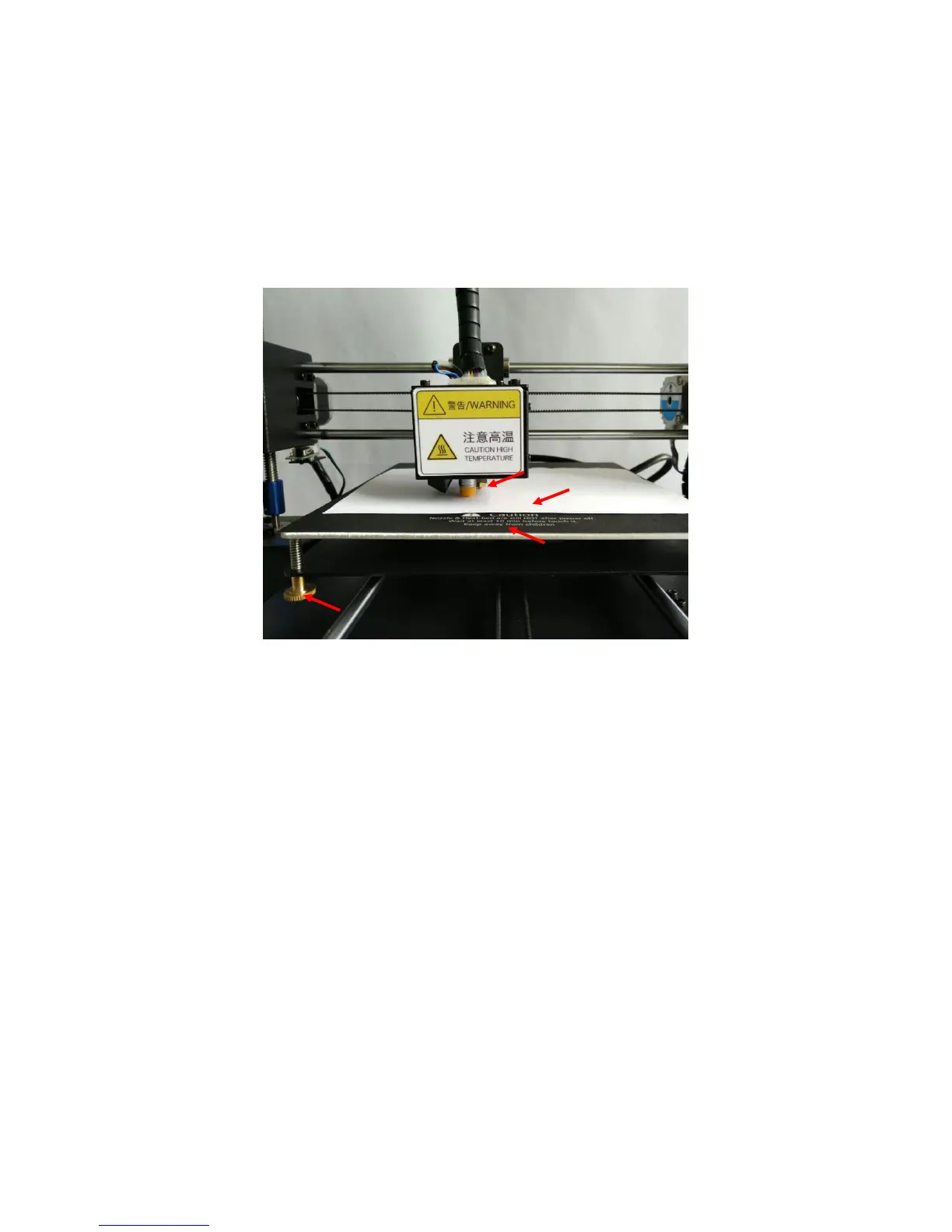
corresponding nut underneath the platform to let the nozzle and platform become
closer until just feel the resistance when dragging the paper in between, (Fig. 19).
Likewise, do the same to the rest of 3 corners and the center of the platform. Upon finish,
you may refer to Step 8 in last section (Assisted leveling) to try to print the “owl_pair”
model and fine tune the nuts when necessary.
Tips:
a “just feel the resistance when dragging the paper in between” means the
paper can be moved, but with resistance.
b It is suggested to always double check the 4 corners during manual leveling.
3. Sometime, customers may want to cover a piece of glass on top of the aluminum print
platform. In this scenario, customers have to use manual leveling because the “Assisted
leveling” only valid for metal platform.
There are few things have to be done before proceed with manual leveling. Because the
glass bed increases the height of the print platform, so the print head would probably
hit the glass bed when Home (Zero) and that has to be prevented.













 To Next Page