18
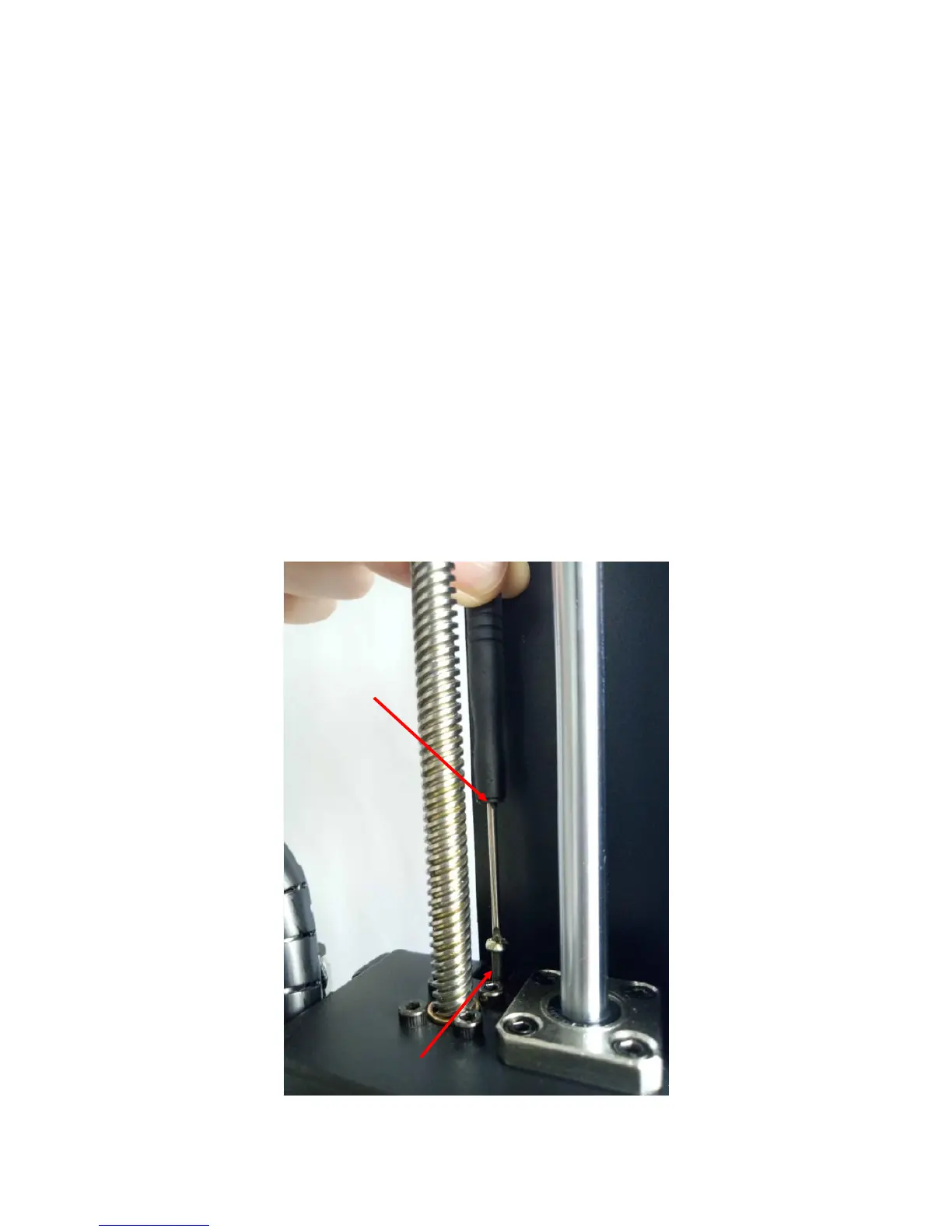
So, turn on the machine, fully tighten the 4 nuts underneath the print platform, and
increase the height of print head by clicking “Tools”-->“Axis”-->“10”on +Z column.
As shown in Fig. 20, at the right side of X axis, tighten the Z adjustable nut by ~2-3mm
(which equals to the thickness of the glass bed).
Reason behind: the other end of Z adjustable nut can trigger the Z end stop when Home
(going down) and ‘tells’ the machine that Z axis is now getting to the Zero position
and stop moving. So, tighten the Z adjustable nut (~3mm) would let the Z axis getting to
the Zero position and stop there ~3mm higher than before, thereby avoid hitting into
the platform. It may need adjustment few times.
After adjustment, please click “Tools”-->“Home”-->“Home all” to verify.
Lastly, follow Step 2 in manual leveling above to start.













 To Next Page