30
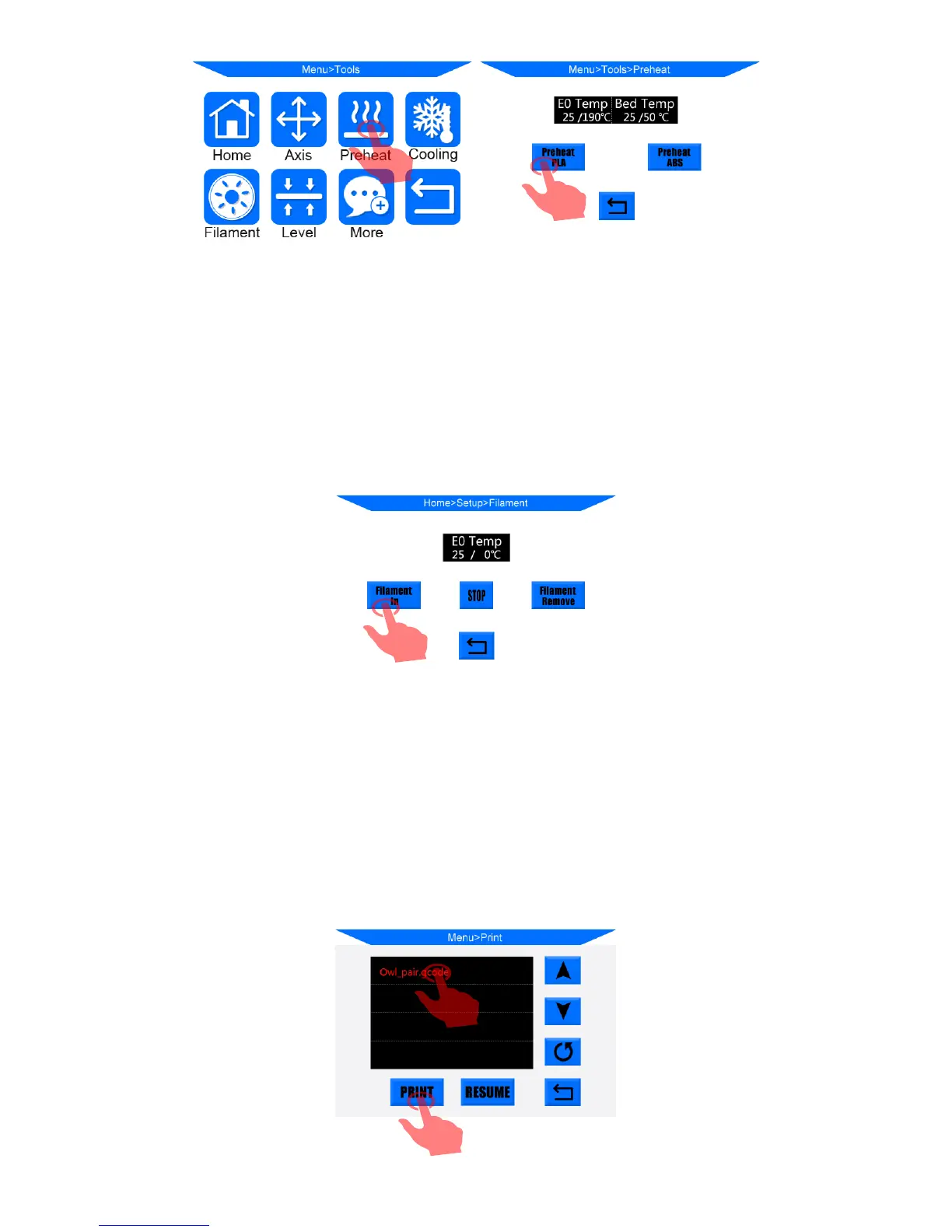
(Figure 32)
2. After pre-heat is finished, please click on Home screen “Tools”-->“Filament”-->
“Filament in”(Fig. 33). The extruder motor will work to feed the filament into the
hotend. There might be some excessive filament melt through the nozzle, please use
tweezer to carefully remove it from the nozzle.
(Figure 33)
3. Insert the SD card (back side facing up) into the slot at the bottom right side of the base.
Click on the Home “Print” into the print files interface. Click on the exist file
“owl_pair”, and click “Print”(Fig. 34). The machine will automatically heating and
print. It will be heating the heated bed first and then the nozzle.













 To Next Page