34
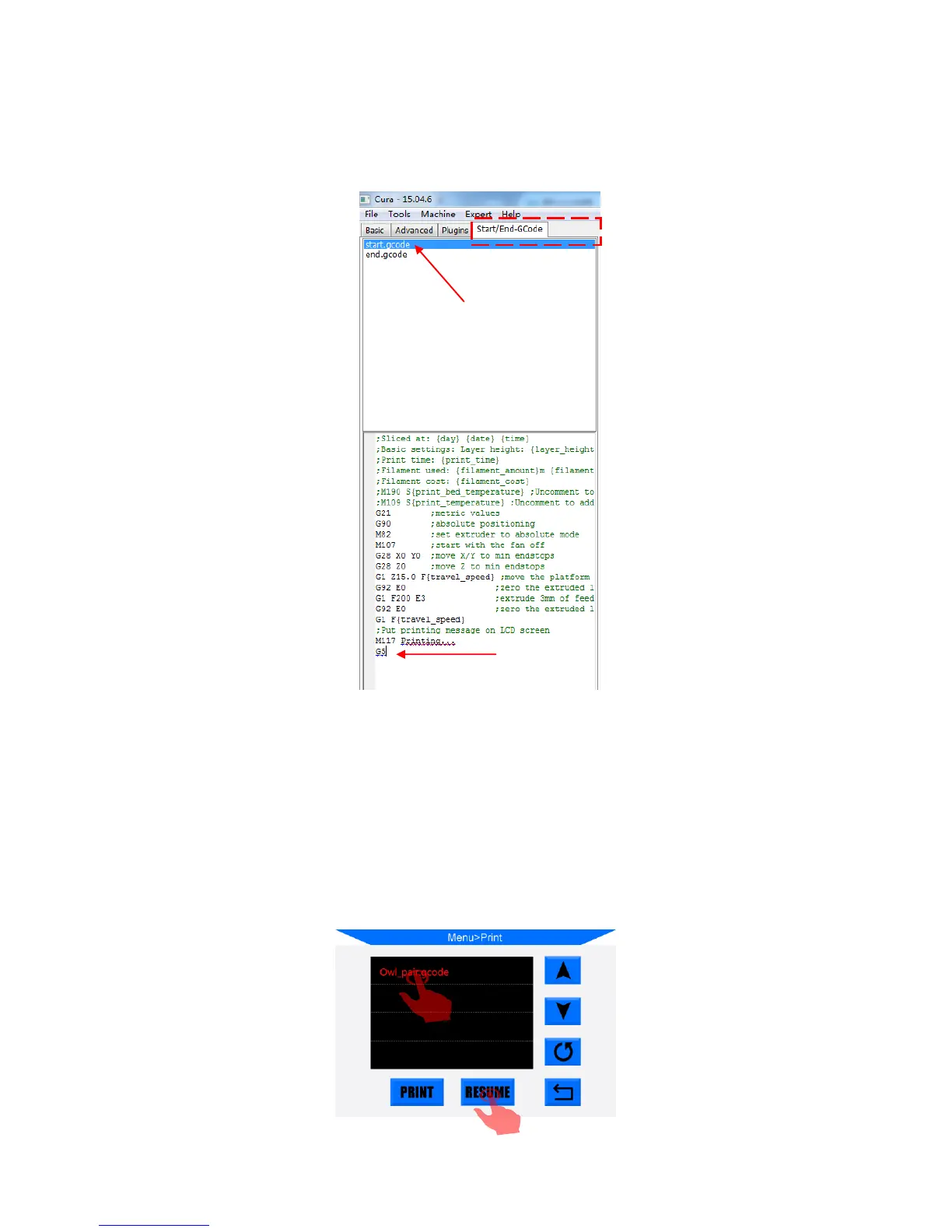
2. For the first time of using this function, customers are required to add “G5” to the
start.gcode, as shown in Fig. 39. Then, save the model as Gcode file to the SD card by
“File”--->“Save GCode…”.
3. Insert the SD card (back side facing up) into the slot. Print the just saved file
(i.e.“owl_pair”). The machine will automatically heating on and print.
If there is an accident power loss during this printing, the print will stop immediately.
However, when power comes back, please click “Print”, choose the unfinished file and
click “Resume”(Fig. 40). Machine will home first and continuing the unfinished object.
(Figure 40)













 To Next Page