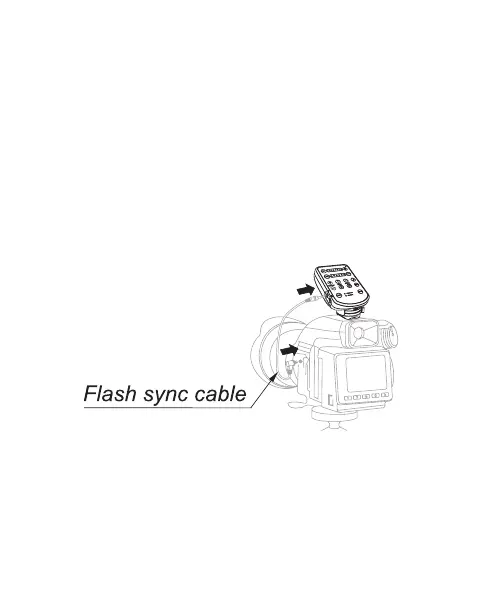
Via ash sync cable
(3.5mm – PC, sold
separately)
(Figure 4)
1. Turn off the camera and E2.
2. Insert the 3.5mm Plug of the ash sync
cable into the In Port [17] of E2.
3. Insert the PC Plug of the ash sync cable
into the PC terminal of the camera. *
4. Turn on the camera and E2 and set the
shooting mode of the camera to manual.
(Figure 4)
* For proper connection with the camera or flash
light, consult the user manual of the actual camera
or ash light at the same time.
• 12 •
x


 To Next Page