II. Getting Started
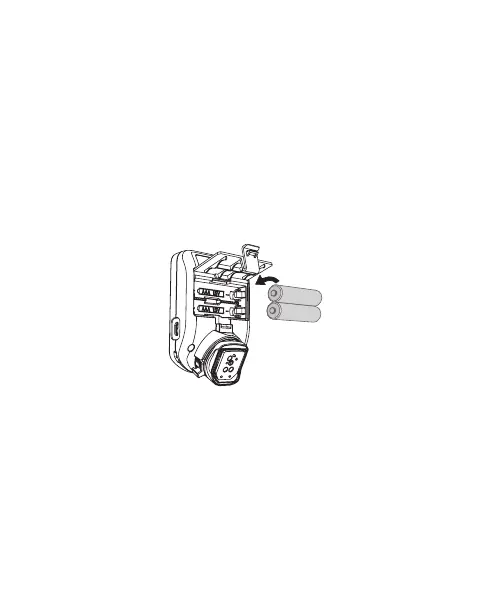
Installing the batteries
(Figure 2)
1. Open the battery cover from the back of
E2.
2. Install 2 AAA batteries in accordance with
the illustrated direction inside the battery
compartment.
3. Close the battery cover in place.
(Figure 2)
Turning E2 on/off
1. Turn on: Press the Power Button [9] to
turn on the E2, the Channel Indicator [1]
and Group Indicator [3] light up.
2. Turn off: Press and hold the Power
Button [9] until all indicators light off.
• 10 •



 To Next Page