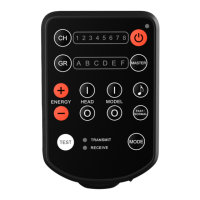
2. Press the Channel Button [2] to select
the channel.
The Channel Indicator [1]
corresponding to the selected channel
(1-8) is illuminated.
Group Selection
1. Groups are used to allow remote radio
control of selected ash lights.
2. All ash lights that are assigned to the
same group under the same channel will
be controlled by E2 simultaneously.
3. Press the Group Button [4] to select the
group.
The Group Indicator [3] corresponding
to the selected group (A-F) is
illuminated.
4. Press the Master Button [11], all Groups
are selected and will be affected by the
remote control commands.
The Group Indicators (A-F) [3] are all
illuminated.
• 15 •


 To Next Page