release or ash triggering to verify
expected functionality.
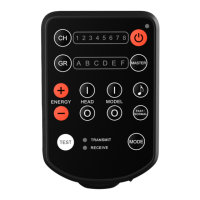
2. When the E2 is in Receive Mode, press
the Test Button [8] to directly release the
shutter of the camera connected to E2
(Out Port[18]) or trigger the ash light
connected to E2 (Out Port[18]).
Fast/Normal Mode
1. E2 delivers sync trigger signals with a
very short delay. In Fast mode, the delay
is even shorter.
2. Fast mode is only recommended when
working with very short camera shutter
times, as the battery consumption is
considerably higher.
3. Press and hold the Fast Mode Switch
Button [14] for 2 seconds to enter into
Fast mode or to exit and return to the
Normal mode.
Mode Indicator [7] <TRANSMIT>
rapidly blinks green in Fast mode.
4. Fast mode is only available in Standard
State Transmit Mode.
• 19 •


 To Next Page