36
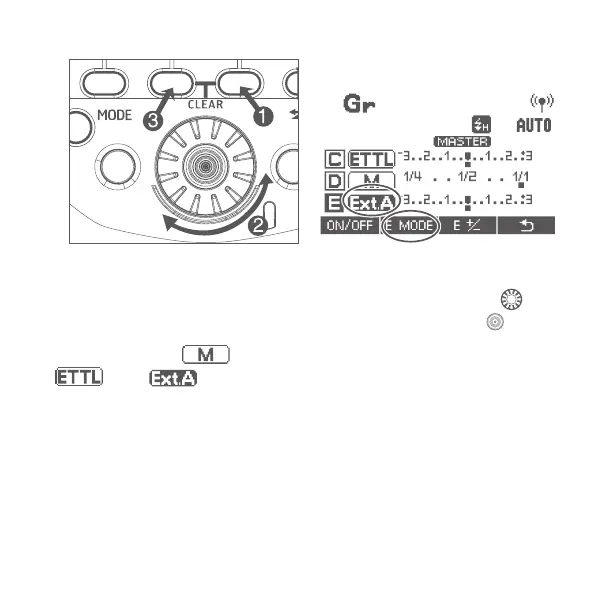
Repeat step 3 to set the ash mode.
4. Set the ash output or ash exposure compensation amount
While a ring group is selected, press function button 3, turn <
> to set
the ash function corresponding to the ash mode, and press<
> button.
When using the <
> mode, set the flash output. When using the
<
>or<
>, set the flash exposure compensation amount as
required.
Press function button corresponding to when is displayed, flash exposure
compensation can be set for all groups.
Repeat step 4 to set the ash function of all groups.


 To Next Page