47
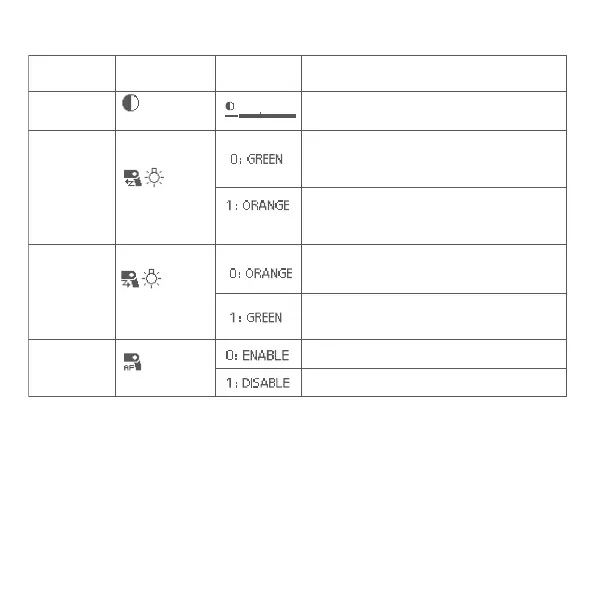
Personal Functions Chart
Personal
Function No.
P.Fn 01
P.Fn 03
P.Fn 04
P.Fn 08
Functions
: LCD panel
display contrast
: LCD
panel illumination
color: Master
Setting No. Setting and descriptions
You can adjust the contrast of the LCD panel
in 5 levels.
When the E3
+
transmitter is set as master
unit(radio transmission wireless shooting,
linked shooting), select green as color of the
LCD panel illumination.
When the E3
+
transmitter is set as master
unit(radio transmission wireless shooting,
linked shooting), select orange as color of
the LCD panel illumination.
When the E3
+
transmitter is set as slave
unit(linked shooting), select orange as
color of the LCD panel illumination.
When the E3
+
transmitter is set as slave
unit(linked shooting), select green as color
of the LCD panel illumination.
Enable the AF assist beam
Disable the AF assist beam
: LCD
panel illumination
color: Slave
: AF assist
beam


 To Next Page