22
TC5-2V2SA.rev.05
TC5-2V2SA
2
Activating Temperature Curve
If you have just finished specifying the points on the curve:
n Press the push-button once again. The word OFF flashes on the
display.
n Turn the adjustment knob clockwise one notch. The word ON flashes
on the display and the Temperature Curve Pilot Light flashes, indi-
cating that the temperature curve is now activated.
n Set the selection knob to ROOM TEMPERATURE.
If you have previously defined the points on the curve:
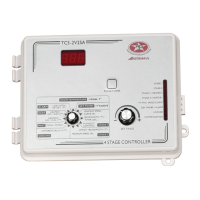
n Set the selection knob to SET POINT / T
o
CURVE. The current
value of the temperature set point flashes on the display.
n Press the push-button. The word OFF is displayed.
n Press the push-button to display the points of the curve currently
defined until the word OFF appears (thirteen clicks).
n Turn the adjustment knob clockwise one notch. The word ON flashes
on the display and the Temperature Curve Pilot Light flashes, indi-
cating that the temperature curve is now activated.
n Set the selection knob to ROOM TEMPERATURE.


 To Next Page