50
TC5-2V2SA.rev.05
TEST MODE
A test mode allows you to simulate temperature changes and verify control-
ler performance. In test mode, the temperature probe inputs are turned
off, allowing the user to change the temperature used by the controller to
operate the stages. The controller operates as before using the new tem-
perature settings.
To enter test mode:
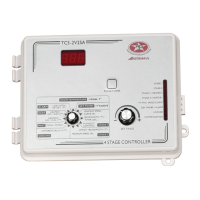
n Turn the selector knob to the ROOM TEMPERATURE position. The
current room temperature is displayed.
n Press and hold the push-button for 3 seconds. The letters "TST" are
displayed, alternating with the room temperature.
n Turn the adjustment knob to adjust the room temperature to the de-
sired value. The controller operates the stages according to the new
temperature setting.
To exit test mode:
n Turn the selector knob to the ROOM TEMPERATURE position. The
current room temperature is displayed.
n Press and hold the push-button for 3 seconds.
NOTE: If no user activity is recorded after 4 minutes in test mode, the
controller resumes normal operation.


 To Next Page