16
TC5-2V2SA.rev.05
Temperatures can be displayed in either Celsius or
Fahrenheit units
n Set internal switch # 2 to the desired position:
• ON to display temperatures in Celsius units.
• OFF to display temperatures in Fahrenheit units.
TEMPERATURE SETTINGS
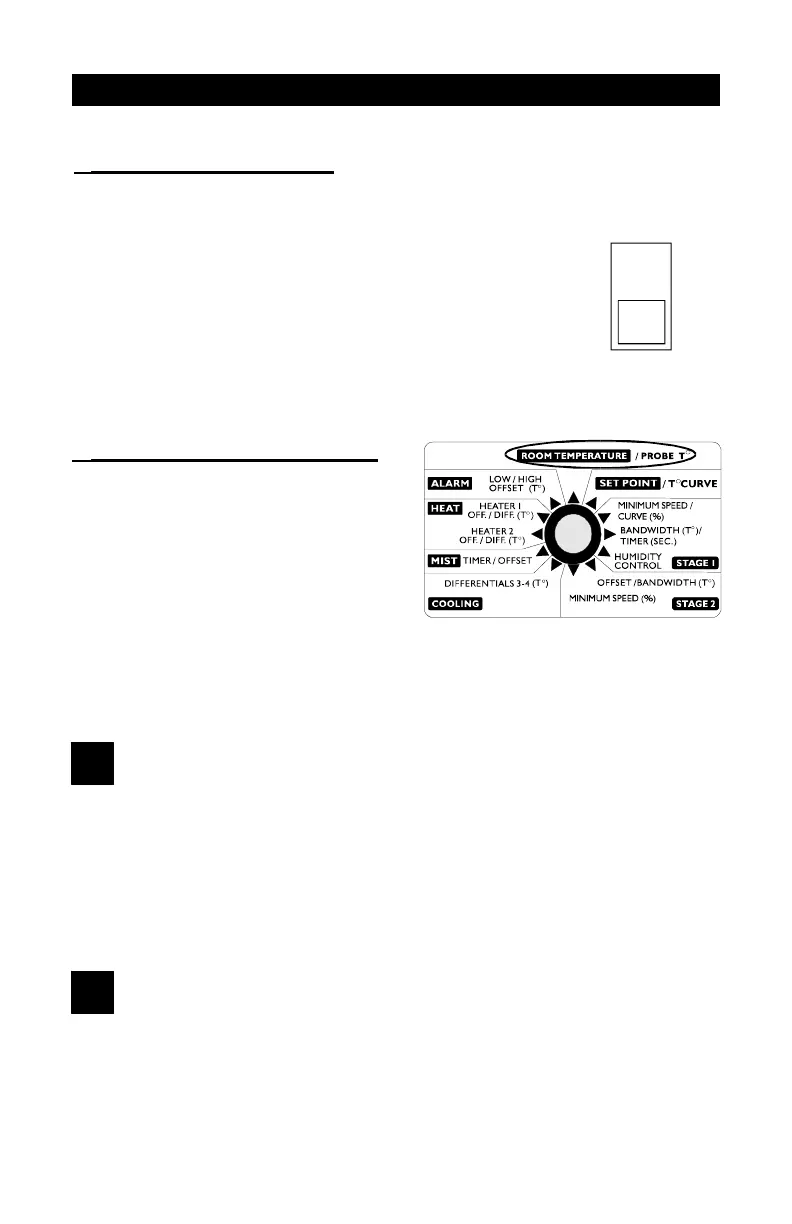
To display the desired temperature, set the selection knob to ROOM
TEMPERATURE. The readout can display values from -40.0
o
F to 120.0
o
F
( -40.0
o
C to 48.9
o
C).
1
Viewing Room Temperature
The room temperature is the average value of all temperatures measured
by activated probes in proper operating condition.
n Set the selection knob to ROOM TEMPERATURE / PROBE T
o
. The
room temperature is displayed.
2
Viewing Probe Temperatures
The controller can display probe temperatures individually. Probes can also
be turned on or off to control the temperature in different parts of the building.
TEMPERATURE UNITS
VIEWING TEMPERATURES
ON
2


 To Next Page