38
TC5-2V2SA.rev.05
TC5-2V2SA
3
Adjusting Stage 2 Bandwidth
The Stage 2 bandwidth is the temperature interval within which the Stage 2
variable speed fans increase or decrease in speed proportionally to the
temperature (see the diagram above). The bandwidth can be adjusted
between 0.5°F and 20.0°F (0.3°C and 11.1°C).
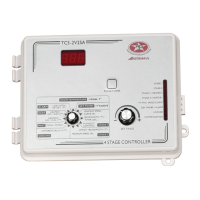
n Set the selection knob to STAGE 2 — OFFSET/BANDWIDTH. The
current offset for Stage 2 is displayed, alternating with the letters " OFT".
n Press the push-button. The current bandwidth for Stage 2 is displayed,
alternating with the letters "bd".
n Use the adjustment knob to adjust the bandwidth to the desired value.
4
Adjusting Stage 2 Minimum Speed
The minimum speed can be adjusted between 10% and 100% of the full speed
of the fans.
n Set the selection knob to STAGE 2 — MINIMUM SPEED. The current
minimum speed for Stage 2 flashes on the display.
n Use the adjustment knob to adjust the minimum speed to the desired
value.
5
Adjusting Stage 3 - 4 Differentials
The Stage 3 - 4 cooling differentials are the temperature differences between
the moment the constant-speed fans start to run and the moment they turn
off for each stage (see the diagram above). The differentials can be adjusted
between 0.5°F and 20.0°F (0.3°C and 11.1°C).


 To Next Page