81
Programming the Machine parameters at user level
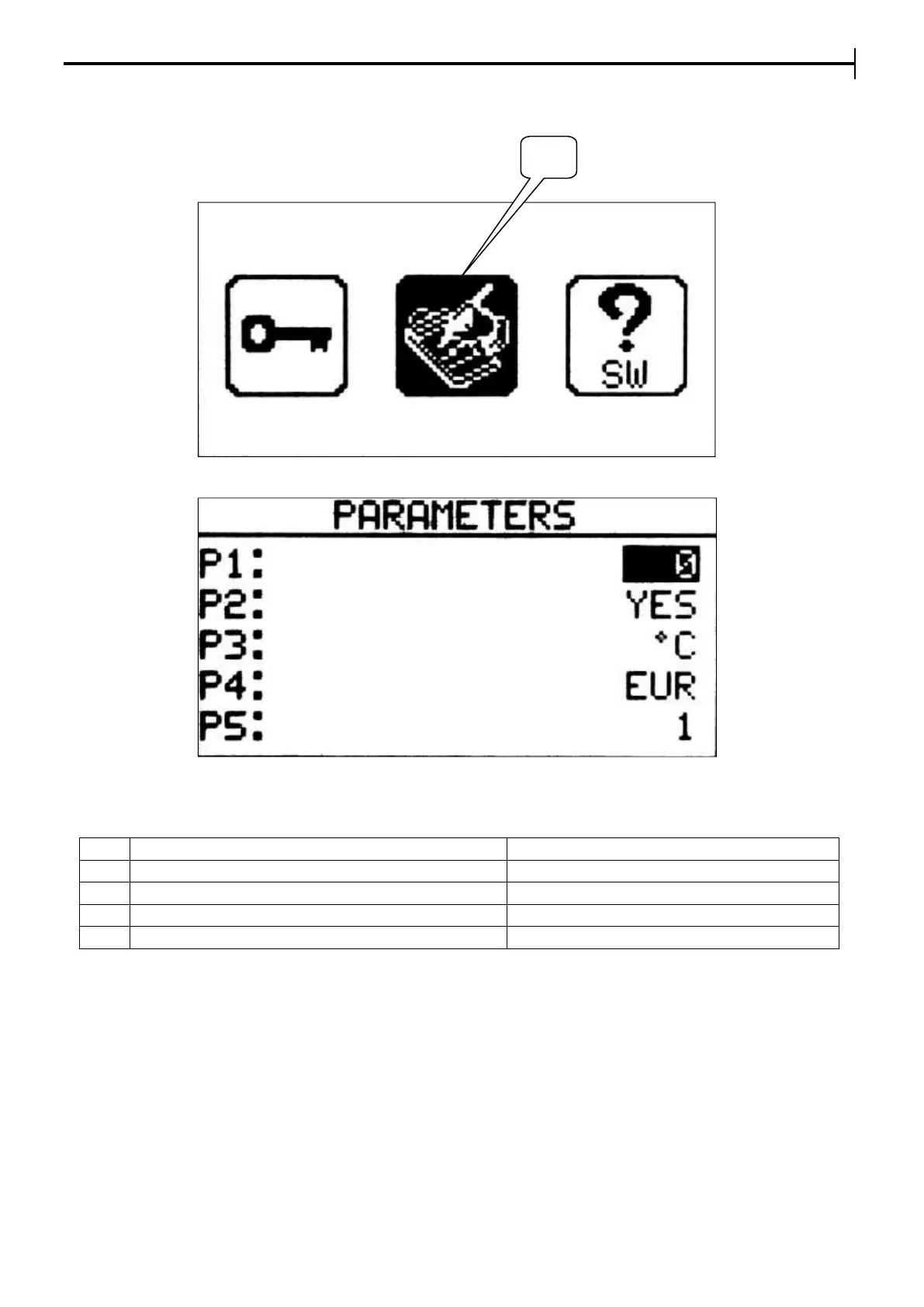
From the Setup menu page select the icon (26) to enter the User menu page
Setup Menu
User menu
The parameters that can be customized (using + and - buttons ) are :
Unit of measurement of the temperature
EUR : D/M/Y or USA : M/D/Y
No. of delayed daily starts
NB.
Setting the parameter P5 to 2, in the screenshot concerning delayed start (see page 31) there will be 2 times
for each day.


 To Next Page