Apogee Jam X User’s Guide
Blend Mode
The Blend mode button toggles Jam X’s signal path between two workflows, Software monitoring and
Direct monitoring. These workflows affect how you hear your instrument while recording.
Blend Off - Software Monitoring
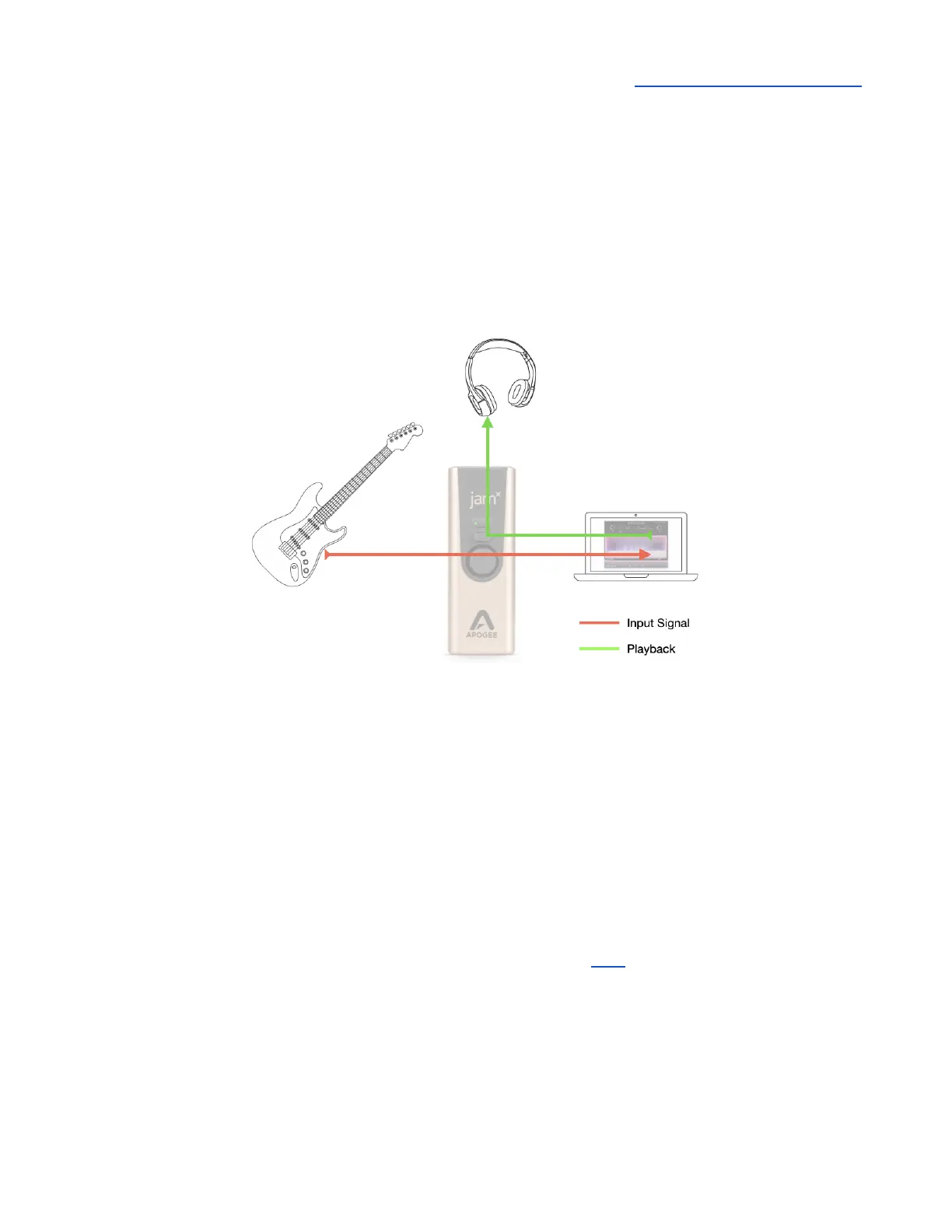
When Blend is off, you hear your instrument AFTER it’s been routed through your Amp Sim app or
DAW, as shown below.
● Pros
○ Software monitoring is the simplest workflow, where most settings are made in the
DAW window.
○ If you’re using an amp sim plugin or app, you hear your instrument through the amp
sim while recording.
● Cons
○ Depending on your system, you may encounter latency - a delay of your Instrument’s
audio in your headphones.
To configure your system for software monitoring:
1. Press the Jam X Blend button to turn Blend off.
2. Configure your DAW for software monitoring, as described here.
3. Set up a DAW channel for recording, then use the DAW mixer to create the desired balance
between the track being recorded and tracks being played back.



 To Next Page