Apogee Jam X User’s Guide
Connecting Your Studio
A wide range of devices, including dynamic microphones, electric instruments and keyboards,
speakers and headphones may be connected to Jam X.
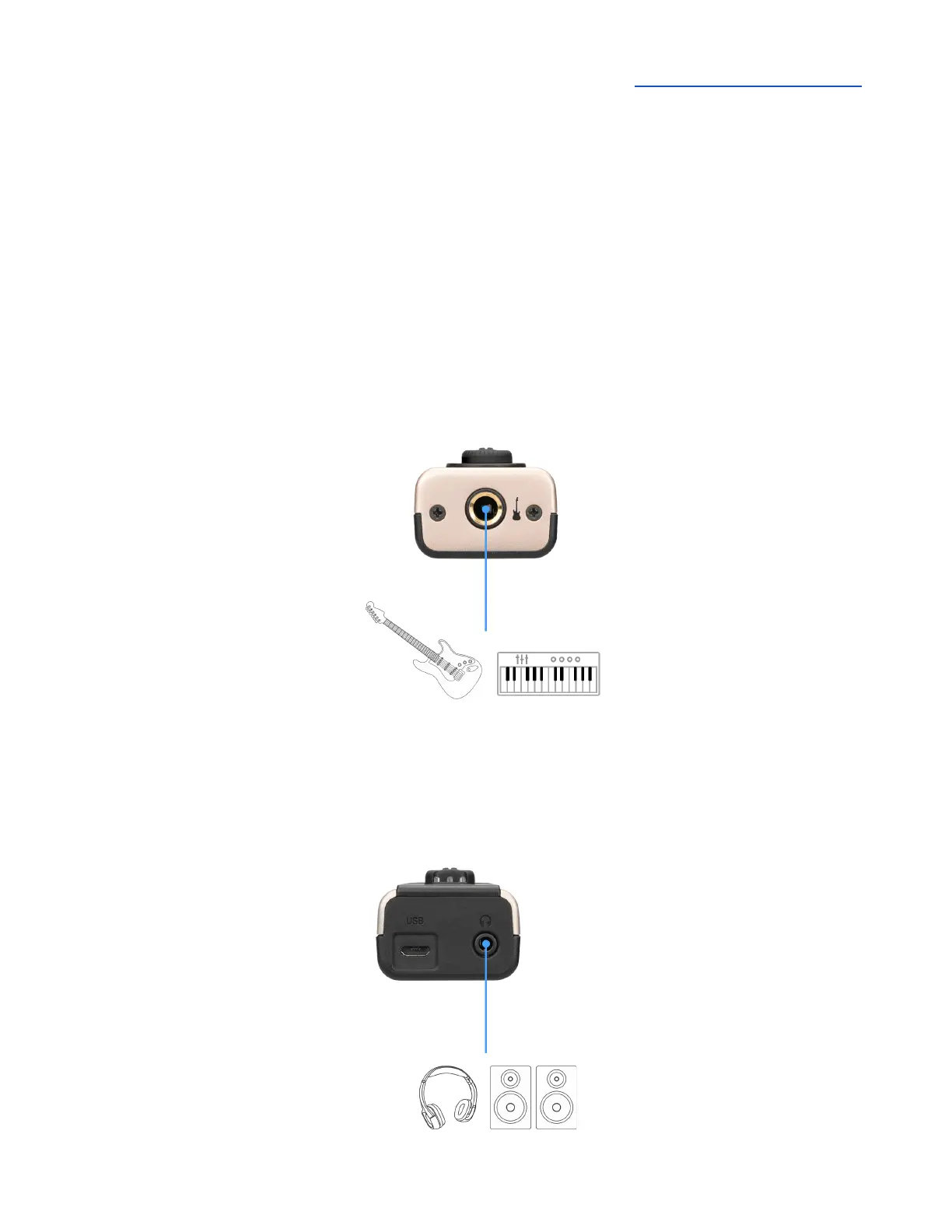
Connect your instrument
Connect Hi-Z instruments such as guitar, bass, keyboards, and synthesizers to the Jam X using a ¼”
instrument cable.
● Dynamic mics with XLR plug can be connected using a Hi-Z to Low-Z transformer converter.
● Condenser microphones require a separate external 48V phantom power supply.
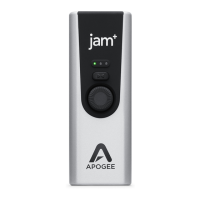
Connect headphones or speakers
Connect headphones to the ⅛” stereo connector.
Powered speakers can also be connected to this jack.
● Adjust the output level using the volume controls on the computer or iOS device.


 To Next Page