Apogee Jam X User’s Guide
Avid Pro Tools
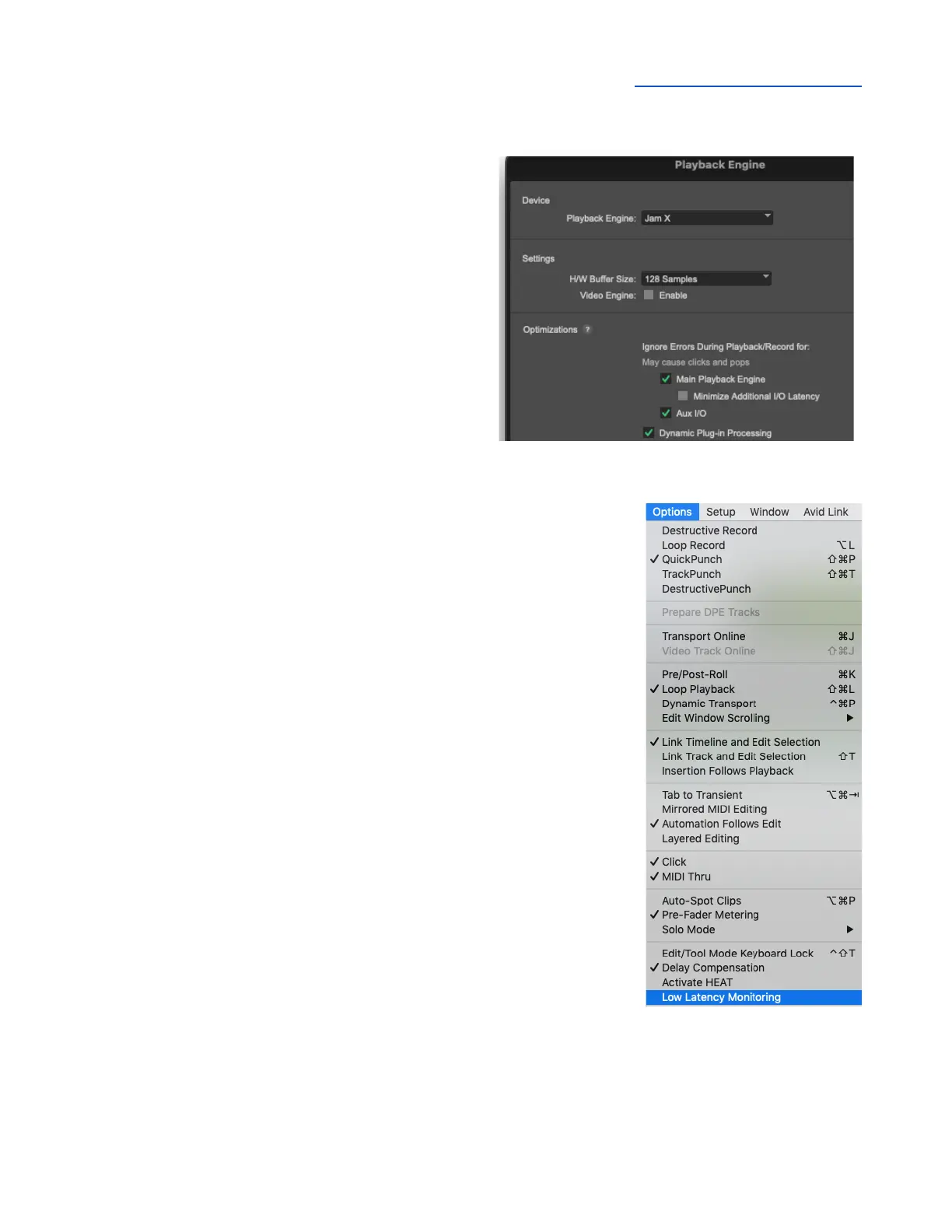
To configure Avid Pro Tools to use Jam X:
1. Open Pro Tools, then choose Setup > Playback
Engine in the menu bar.
2. Set Playback Engine to Jam X.
3. Set H/W Buffer Size to 128 to start, adjust for
lower latency or more plugin power.
To configure Pro Tools for Direct or Software Monitoring
Workflow:
1. In the Pro Tools menu bar, set Options > Low Latency Monitoring.
● Uncheck Low Latency Monitoring for Software monitoring.
● Check Low Latency Monitoring for Direct monitoring.
2. On the Jam X, press the Blend button:
● Turn Blend off for Software monitoring..
● Turn Blend on for Direct monitoring through the Jam X.



 To Next Page