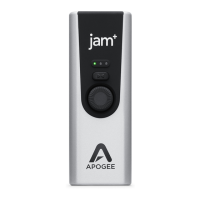
Apogee Jam X User’s Guide
Contents
Contents 2
In the Box 3
System Requirements 3
Register your Product 3
Jam X Product Tour 4
Connecting Your Studio 5
Connect your instrument 5
Connect headphones or speakers 5
Connecting to a Mac or Windows computer 6
Connecting to an iPad Pro (USB-C connector) 6
Connecting to an iOS Device (Lightning connector) 7
Jam X Lights and Getting Sound 8
Installing Jam X Software 9
Windows 10 Installer 9
Configure the Computer’s OS to use Jam X for Audio I/O 10
macOS 10
Windows 11 11
Apple iOS 11
Working with Jam X 12
Blend Mode 12
Blend Off - Software Monitoring 12
Minimize Latency with Software Monitoring 13
Blend On - Direct Monitoring 13
Configuring Neural Archetype:Tim Hensen - Standalone 14
Configuring Your DAW 15
Apple Logic Pro 15
Avid Pro Tools 16
Ableton Live 17
Troubleshooting 18
Warranty Information and Legal Notices 19
Declarations of Conformity 19


 To Next Page