MANAGEMENT
SYSTEMS
Assessed to ISO 9001:2008
Cert/LPCB ref. 010
Assessed to ISO 14001:2004
Cert/LPCB ref. 010 EMS
MANAGEMENT
SYSTEMS
Cert/LPCB ref. 010
PRODUCT
CERTIFICATION
Apollo Test Set - User Manual
41
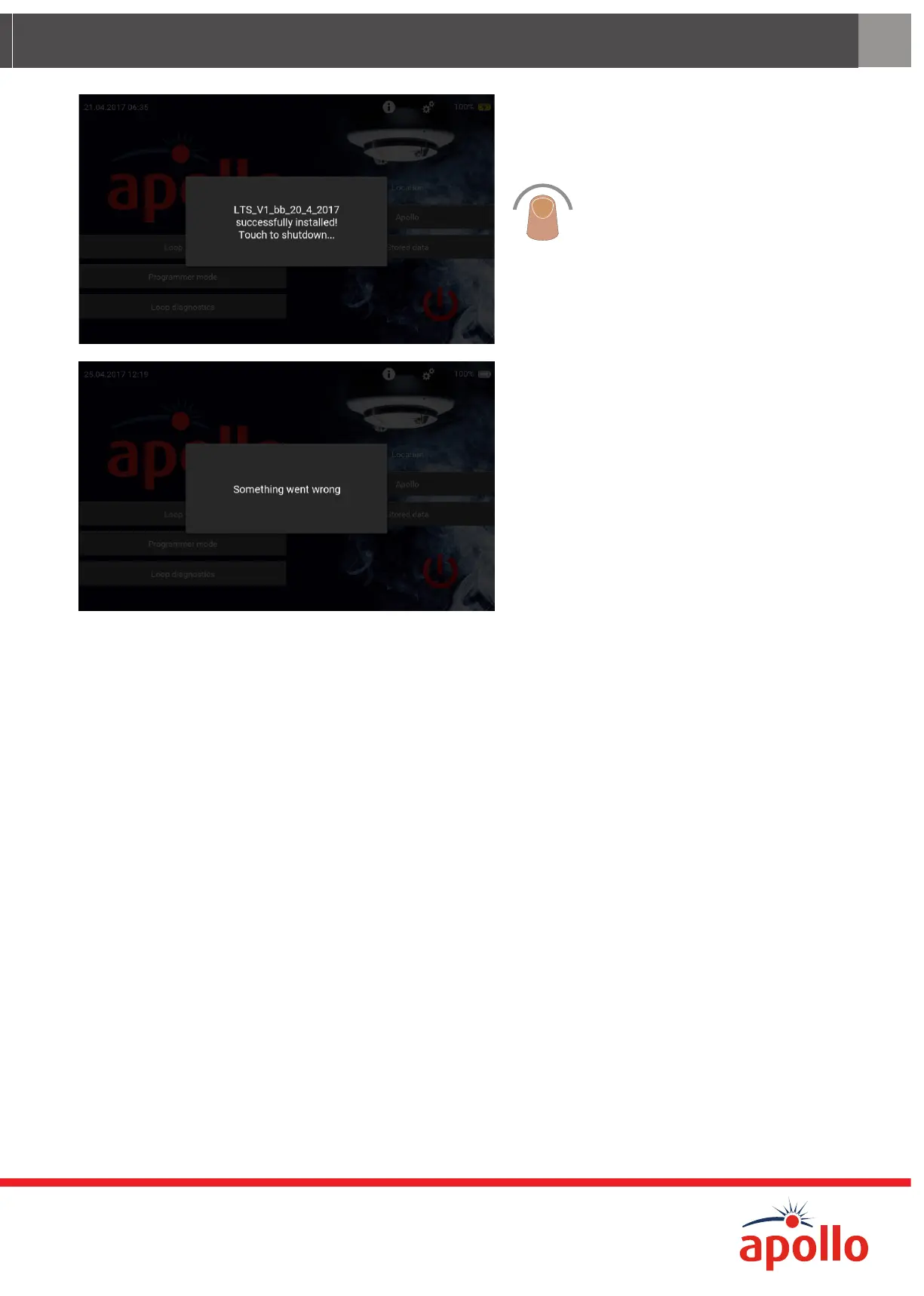
When the Firmware Update has finished
uploading, the ‘Successfully Installed’
splash screen appears.
Tap the splash screen. The Test Set
powers o.
Restart the Test Set and check that the
firmware has updated and the correct
version has been installed. The version
number can be checked by tapping the
‘Settings’ icon.
If something goes wrong during
the update procedure, the message
‘Something went wrong’ appears.
If this happens it will be necessary to
install the last stable version from the
list of updates. Until the stable version
is installed all menus and sub-menus
(except firmware update) are disabled.
The last stable firmware update version can be found at www.apollo-fire.co.uk. This stable version should be down-
loaded onto the USB flash stick and the firmware update procedure repeated using this stable version.


 To Next Page