SW Version 2.04 30-January-2009 Page 13 of 128
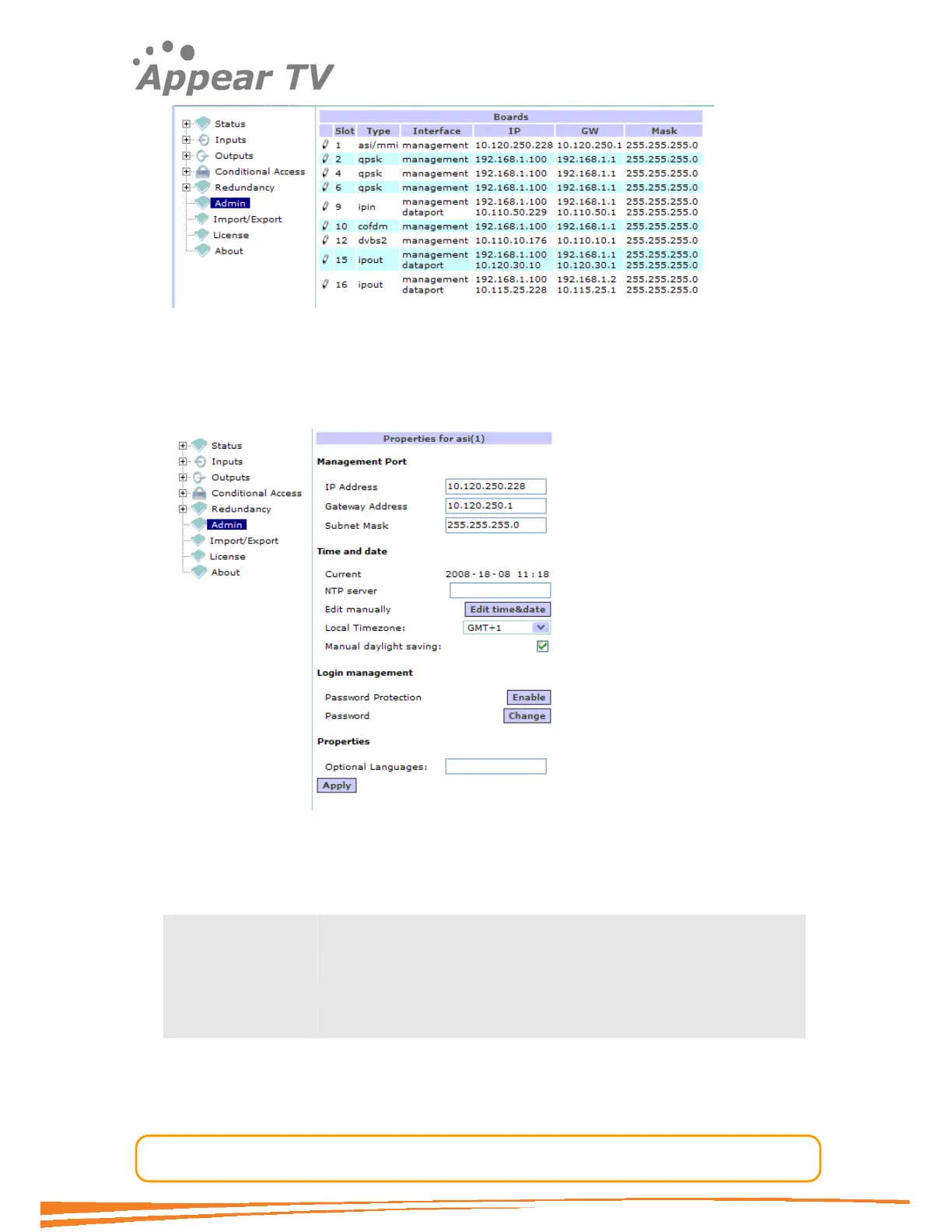
Figure 5 - Admin page
Select (click) the module hosting the management interface (MMI) (displayed in the
“Type” column) and the module configuration displayed will look similar to the one
shown in Figure 6.
Figure 6 - Admin Properties Page
For the Management Port and Data Port (if available) fields configure the
following:
IP Address Specify the IP address of the management interface
Gateway address Enter the gateway address of your network in order to access
external resources
Subnet Mask Specify the subnet mask
Save the settings by selecting the Apply button. Please reboot the card by re-
powering the unit.
Connect the unit to your local network.



 To Next Page