SW Version 2.04 30-January-2009 Page 75 of 128
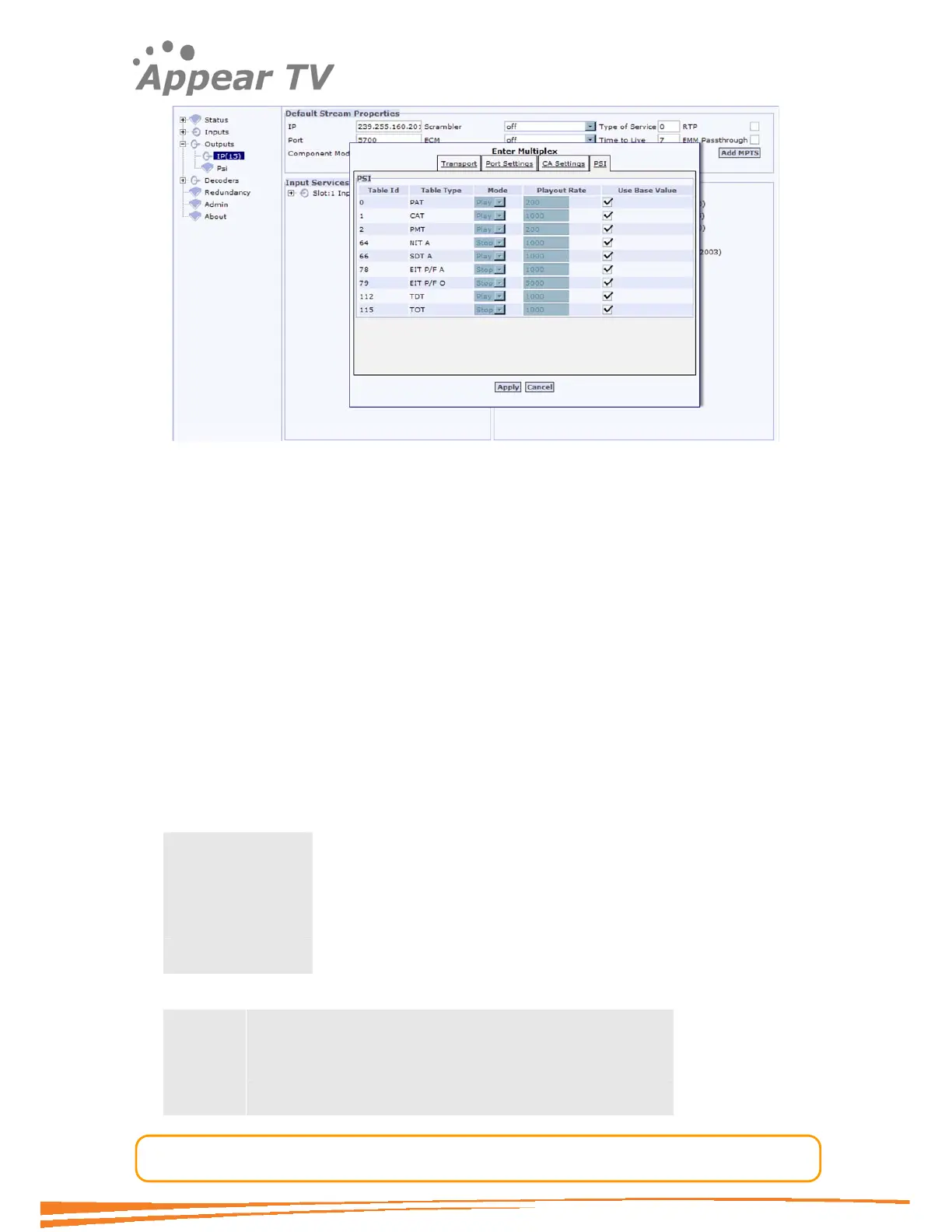
Figure 59 - The Enter Multiplex dialog
In the PSI screen, fields for the Table Id, Table Type, Mode and Playout Rate are
displayed. One additional parameter is available compared to the PSI dialog shown for
the base value settings.
Use Base Value – this check box allows user to select if the base values should be
used, or if these values should be specified separately for this output. Check this box
to enable the generation and broadcast of that table type based on the global settings
described above. Uncheck the box to make local changes.
Click Apply to store the changes.
4.7.2.1 Service Order in MPTS PAT
The sorting algorithm for the service order in PAT for MPTS streams is relatively
simple. However in most cases this is not of that great interest. If a specific channel
line-up is required consider to add the NorDig Logic Channel Descriptor in NIT. This is
found in the PSI base value settings for the NIT.
The order of appearance is based on three values.
Input slot
Input port
Output service ID
Example.
Example:
Service 1 (From input slot 1, port 3, output SID 5)
Service 2 (From input slot 1, port 2, output SID 6)
MPTS A
Service 3 (From input slot 1, port 2, output SID 3)



 To Next Page