SW Version 2.04 30-January-2009 Page 53 of 128
the service name. In this scenario the first service originates from the input module
placed in slot position 1, port C, whereas the second one comes from the input
module in slot position 2, port A. The service IDs are respectively 303 and 204.
The selected services will automatically be assigned to the output immediately after
they have been selected.
In order to configure audio language, subtitling, etc., click Edit for the service you
want to configure.
If a service is scrambled, the service must be descrambled before decoding. Inserting
a CAM module for the required CA system and a valid smart card into the decoder
module with CAM slots, the service will be automatically routed through the
descrambler and the service will be descrambled. No configuration is required.
4.5.2 Baseband Parameter Configuration
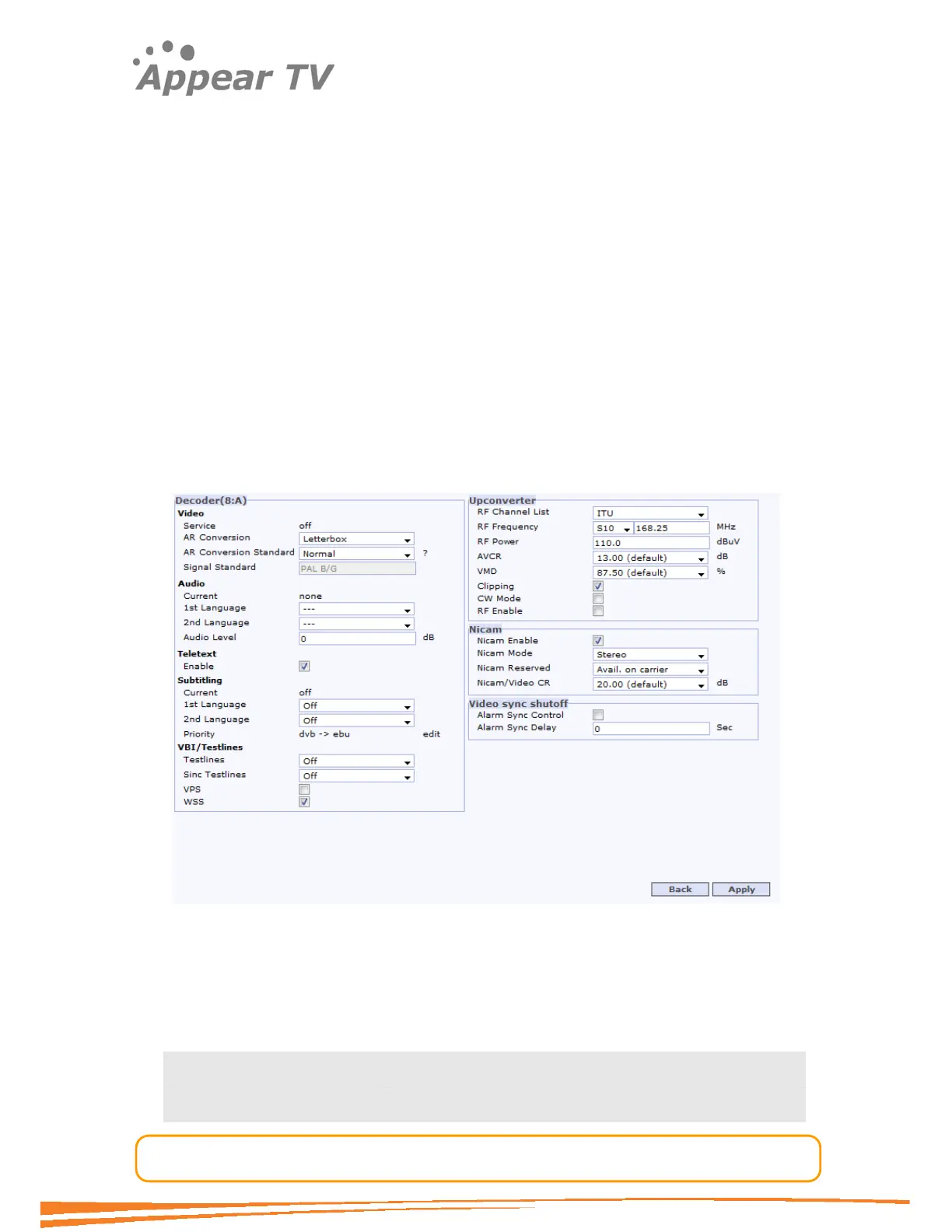
Clicking Edit for the decoder you want to configure, the page shown in Figure 44 will
be displayed. The configuration parameters are organized into different sections, and
only those sections relevant for a decoder are shown. Figure 44 shows a typical
configuration page for a decoder with RF and NICAM.
Figure 44 Typical Decoder configuration page
The following parameters are available for configuration:
Video
Please choose the video parameter that best matches your display of choice.
Service Displays the selected service
AR Conversion Select the aspect ratio of the video output from the drop



 To Next Page