SW Version 2.04 30-January-2009 Page 28 of 128
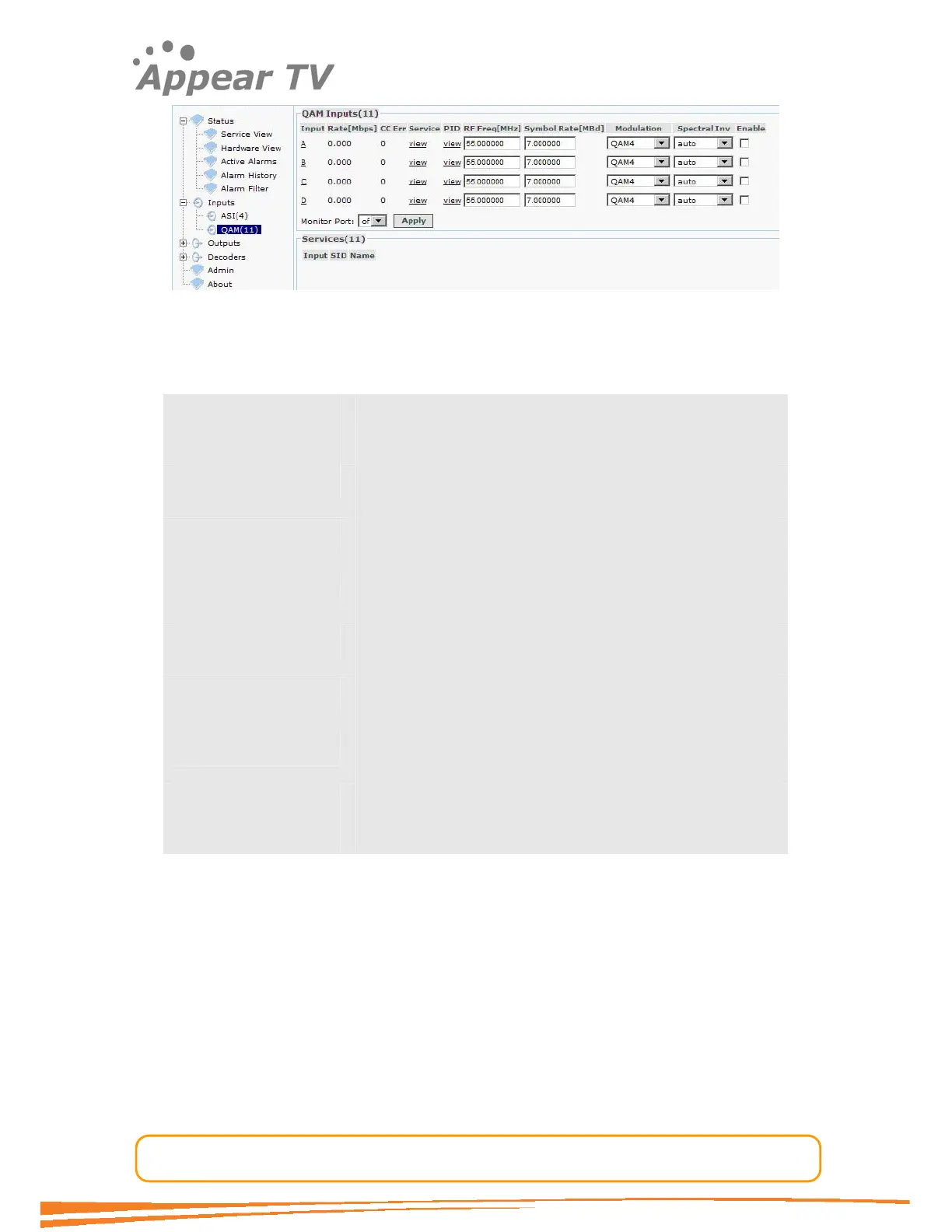
Figure 17 - QAM input
The QAM input window shows all configurable settings as well as the current bit rate
and service information. The following parameters are available:
Input Shows the different QAM inputs
Rate[Mbps] Shows the incoming data rate
CC Err Bit Error Rate is a quality indication of the input signal. No
input signal will display "no sync".
Service Filtering of the displayed service information. Only the
services available from the selected input port are shown.
PID Packet Identifier. All available PIDs from the selected
input port are shown.
RF Freq [MHz] Set the QAM frequency in MHz. Valid range is 170k – 887
MHz.
Symbol Rate [MBd] Set the symbol rate in Mega Baud. Valid range is 0.452 –
7.23 Mega Baud.
Modulation Set the type of modulation. Valid entries are QAM4, QAM16,
QAM32, QAM64, QAM128 and QAM 256.
Spectral Inv Set the Spectral Inversion to Auto, Normal or Inverted.
Enable Enable the corresponding input port
Save the settings by clicking the Apply button
The status parameters for the QAM module are shown in figure below. Click on the
letter representing the Input channel (A, B, C or D) to display the status parameters
for the specific input port.



 To Next Page