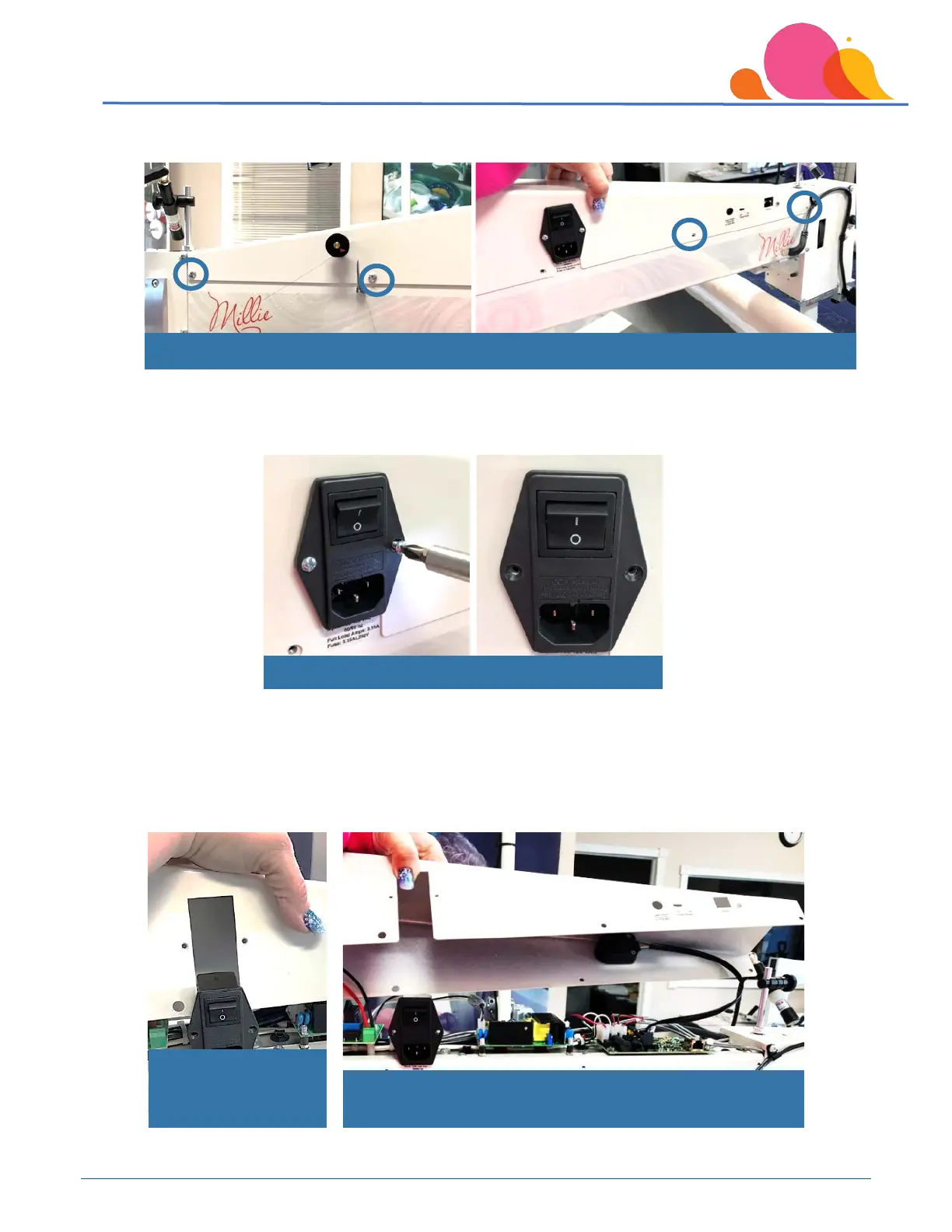
Next, remove the screws from the top cover on the front of the machine.
You will also need to remove the 2 small Phillips screws that hold the power cord module in the machine.
Once the screws have been removed, lift the top cover up while holding onto the black box that the power
cord plugs into. This box is attached to the top of the machine so it will stay in position as you remove the
top cover.
to clear power
Wire connection for thread break sensor in center of circuit
board
Remove both screws for power module
Remove remaining screws in top cover



 To Next Page