18
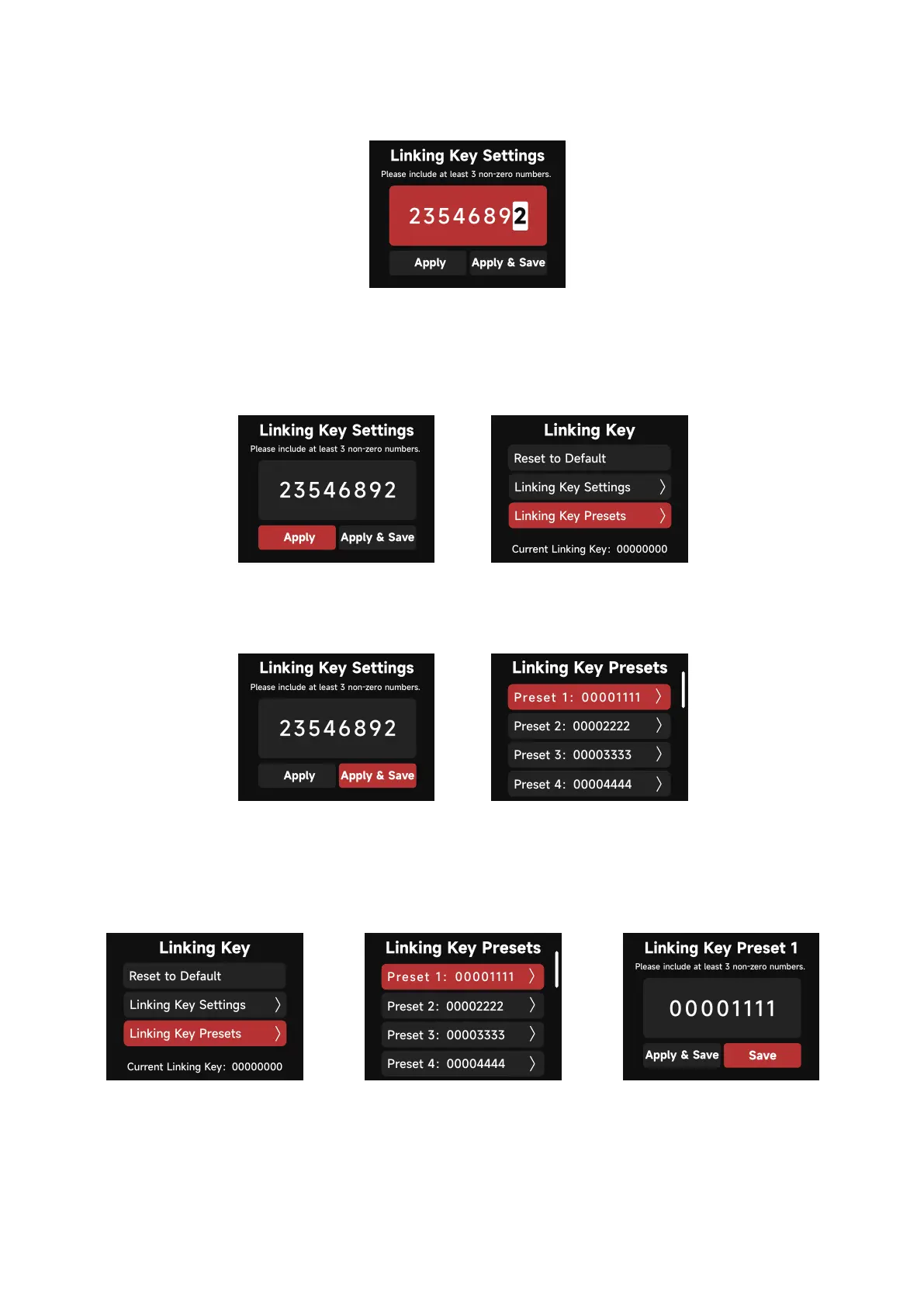
a. In the Linking Key interface, choose an 8 digit number to be the Linking Key. Three
digits cannot be "0".
b. Choosing "Apply" sets the Linking Key. Presets can be saved for future use by selecting
"Apply & Save".
c. Save 10 Presets in total.
d. In the Linking Key Preset interface, save up to 10 Presets by choosing "Save" or set the
Control Box's Linking Key and save it as the selected Preset by choosing "Apply and Save".
Please include at least 3 non-zero numbers.
Please include at least 3 non-zero numbers.
Current Linking Key:00000000
Please include at least 3 non-zero numbers.
Current Linking Key:00000000
Please include at least 3 non-zero numbers.



 To Next Page