22
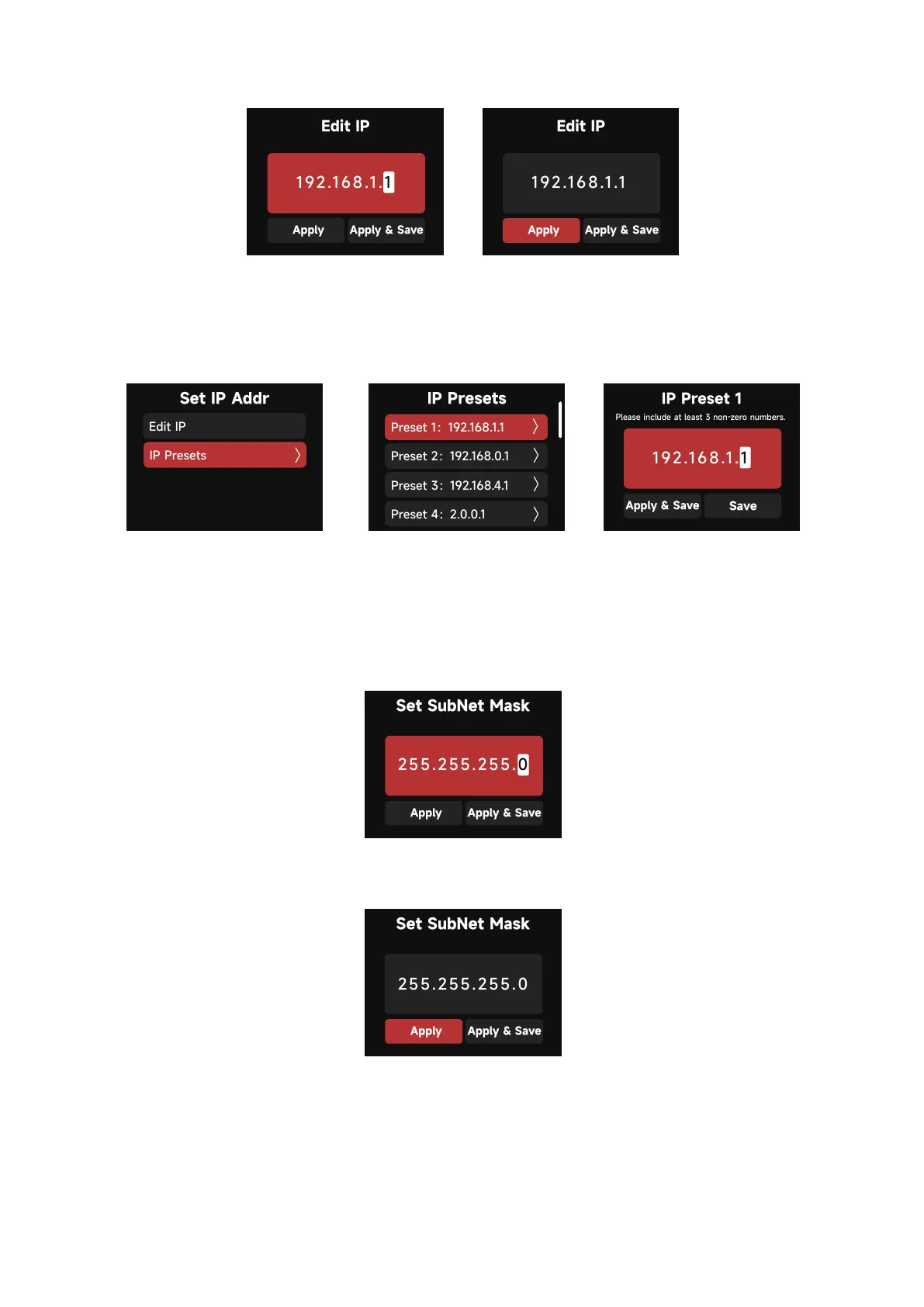
a. In the Presets interface, Select a Preset to edit or apply.
Presets can be edited and saved without applying them to the Control Box's current IP settings.
(save 10 IP Presets in total)
Presets can be edited and saved without applying them to the Control Box's current IP settings.
(save 10 SubNet Mask Presets in total)
Please include at least 3 non-zero numbers.
b. Set SubNet Mask
Using the Select Wheel, edit the SubNet Mask information for the Control Box. Use the BACK
Button to Exit the interface.
Presets can be saved for future use by selecting "Apply & Save".



 To Next Page