HC151+
MULTI / HC200+
MULTI
ENGLISH
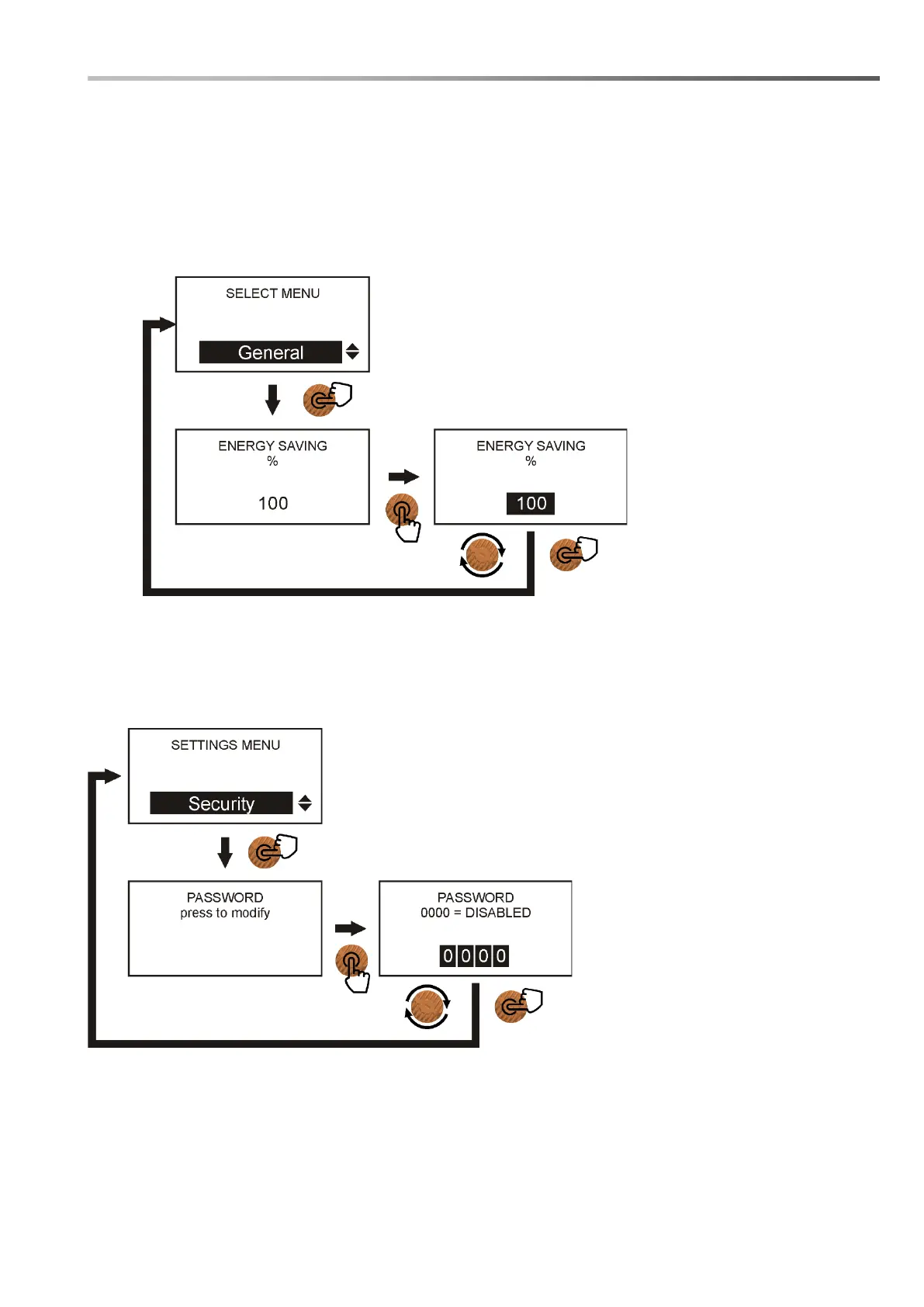
3.9.2 General > Energy saving
It is possible to change the brightness of the display during its normal operation, this to limit current
absorption and to protect the display from overheating and therefore increase its life. The brightness
can be changed from 100% (maximum brightness) to 10% (minimum brightness); once the percentage
has been chosen, the display will drop its brightness after 1 minute, if you act on the encoder the
brightness will return to the maximum value until it is no longer touched for more than 1 minute.
Here are the steps to set up this feature:
3.9.2 Security > Password
It is possible to set a security password to prevent unauthorized access to the pump configuration
menus. If the user forgets or loses his password, he must contact our Assistance.
Here are the steps to set up this feature:



 To Next Page