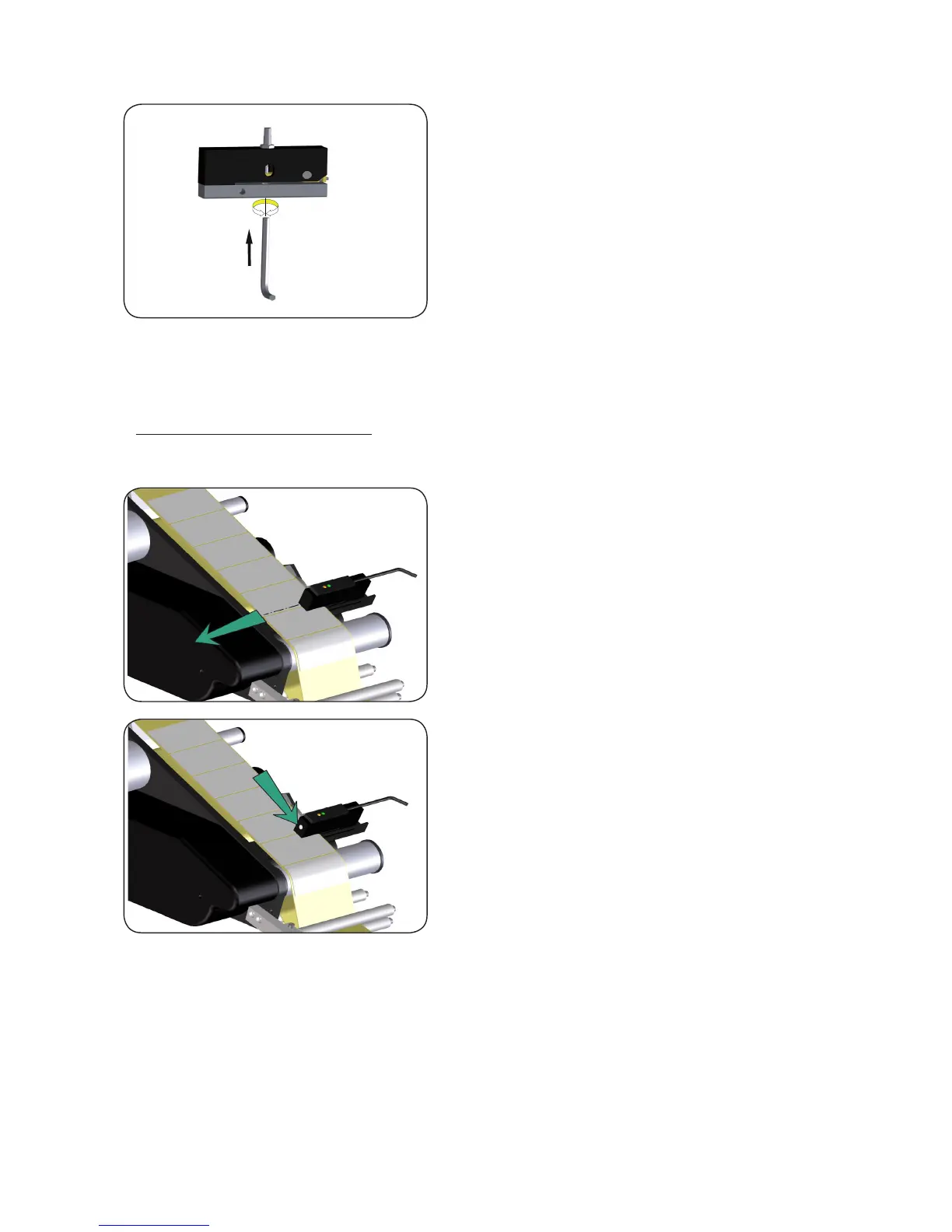
• should the led fail to switch on, introduce a socket head
spanner (2 mm) in the hole of the adjustment device in order
to change the pressure of the balancing device which detects
the space between labels;
• for a further check make the labels go back and forth by hand: the led set on the micro-switch must switch on
when it is on the space between two labels, and go off when on a label;
3.3. Photocell adjustment
In order to adjust the labels positioning photocell, perform the following procedures:
• Insert the label tape in such a way that the marker of the optical
axis lies on the free bearer or between labels;
• press the button until bpth LEDs ash simultaneously.
• release the button. Teach-in has started. Leds ash alterna-
tingly.
• Briey press button again. Teach-in is nished.
• Green LED illuminates. Sensor is ready.


 To Next Page