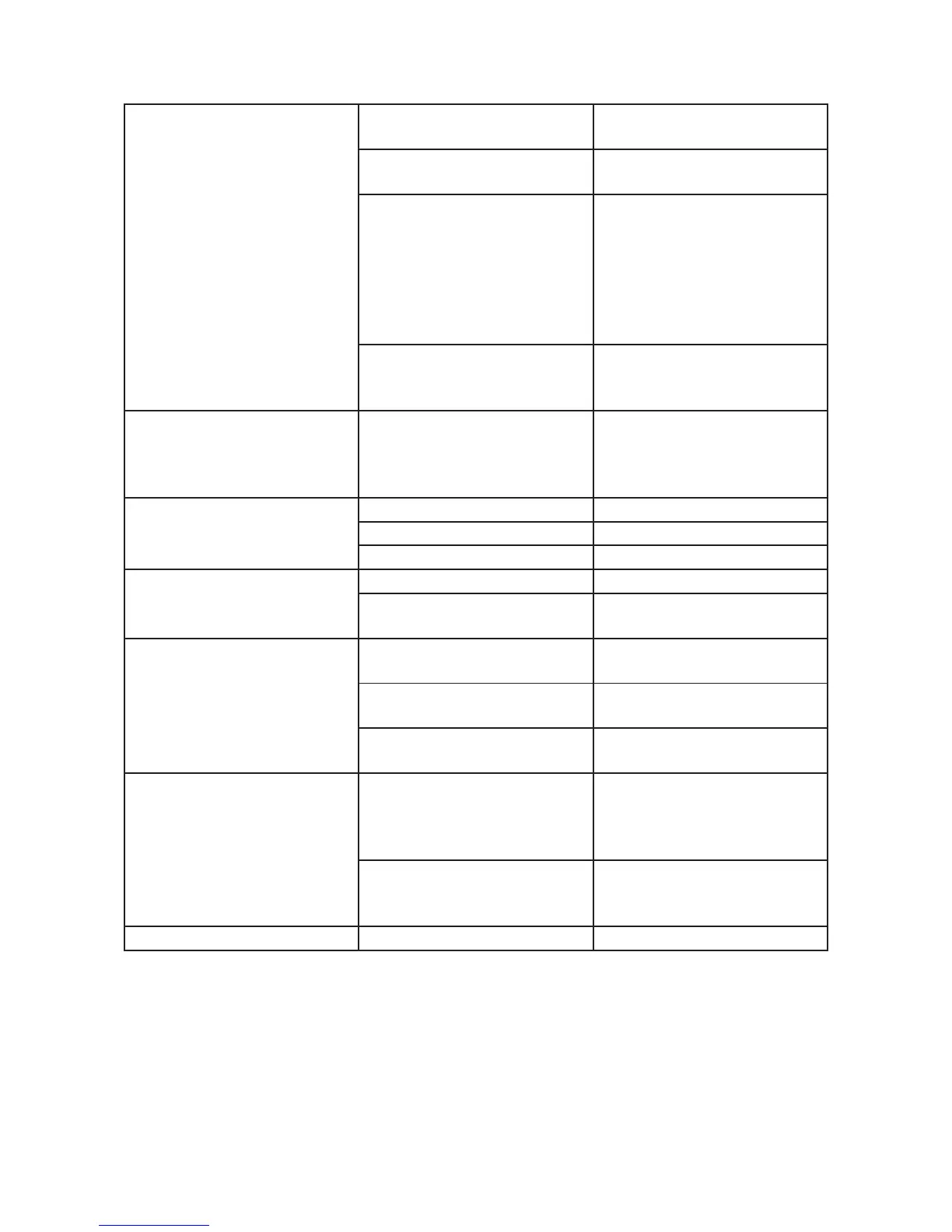
Double label emission
Label stop sensor wrongly
adjusted or ditry
Adjust the reading sensor or
clean it if dirty
Product reading sensor wron-
gly adjusted or dirty
Adjust the reading sensor or
clean it if dirty
The photocell does not read the
product correctly
Check the photocell consent
LED to see if it blinks during
the passing by of the product
and adjust the sensitivity or the
stability of the signal (if the
photocell is equipped with it)
until the problem is solved
Setting adjustment of the
number selector with excessive
value
Check set value
Double label emission
The above mentioned pro-
blem cannot be solved and the
optimal adjustment cannot be
found
The product surface is so
irregular that it does not enable
any adjustment.
Contact ARCA Etichette S.p.a.
The motor does not start
Missing electrical supply Check the electrical supply
Burnt fusers Check the fusers
Supply interrupted by the chart Replace the charts
The labels are not fed The transport group is dirty Clean the transporto group
Wrong pressure of the take-off
unit
Adjust accurately the take-off
unit group
The labels does not stop
Wrong adjustment of the mi-
cro-switch
Adjust the micro-switch
Micro-switch bearing dirty (if
any)
Clean the micro-switch bearing
and adjust its pressure
The photocell is not focused (if
any)
Adjust the focus of the photo-
cell
Defective labelling
Product reading device wron-
gly adjusted
Eliminate shakings and dummy
contact; verify the adjustment
of the product reading photo-
cell
Label output speed too high
in comparison to the moving
speed of the product
Synchronise the two speed


 To Next Page