- 13 -
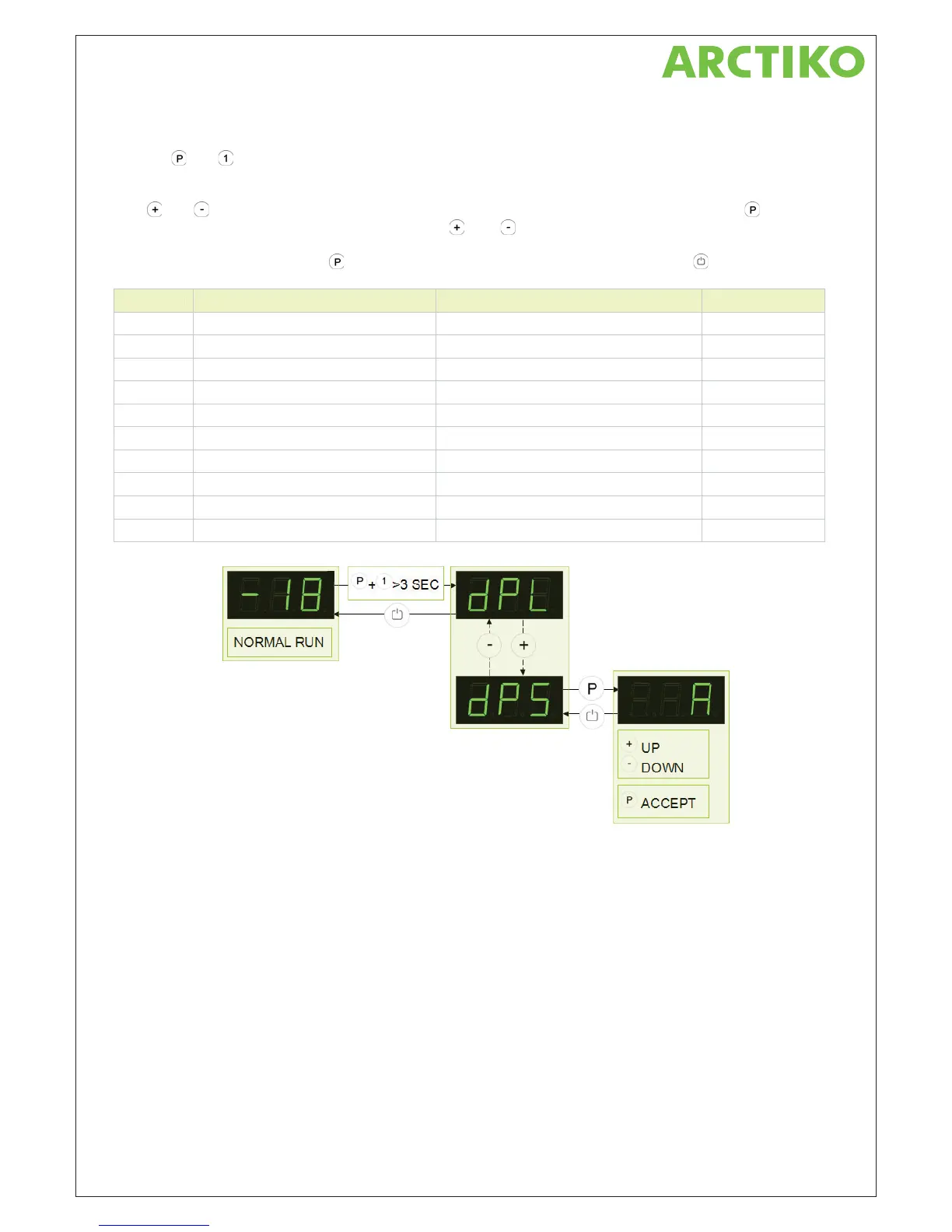
User menu
Push on and buttons at the same time in more than 3 sec. and the first Setup menu appears in the
display.
With
and buttons its possible to look through each menu items in the “User menu”. Push on button to
activate the desired item and adjust the setting with
and buttons.
To confirm the new setting, push
button. Leave the menu item and user menu with the button.
Parameter Description Setting range Default setting
C° 52+ C° 53- ot 52+ mrala erutarepmet yalpsiD LPd
.nim 06 setunim 5 fo spets nI / nim 021ot 0 yaled mrala yalpsiD tPd
C° 52+ C° 53- ot 52+ timil mrala reppu – mrala eerf laitnetoP rAH
C° 53- C° 53- ot 52+ timil mrala rewol – mrala eerf laitnetoP rAL
HAt Potential free alarm – Timed delay for HAr 1 to 120 min / In steps of 5 minutes 60 min.
LAt Potential free alarm – Timed delay for LAr 1 to 120 min / In steps of 5 minutes 60 min.
.nim 0 nim 51 ot 0 yaled demit mrala rooD tAd
ALL Escorting or fixed alarm limits ESC = Escorting / FAS = Fixed limits FAS
.yad hcae 4 .8 ot 1 h42/selcyc gnitsorfed fo rebmuN FEd
dPS Displaying sensor in the display A = input A (1) / E = input E (5) A



 To Next Page