- 17 -
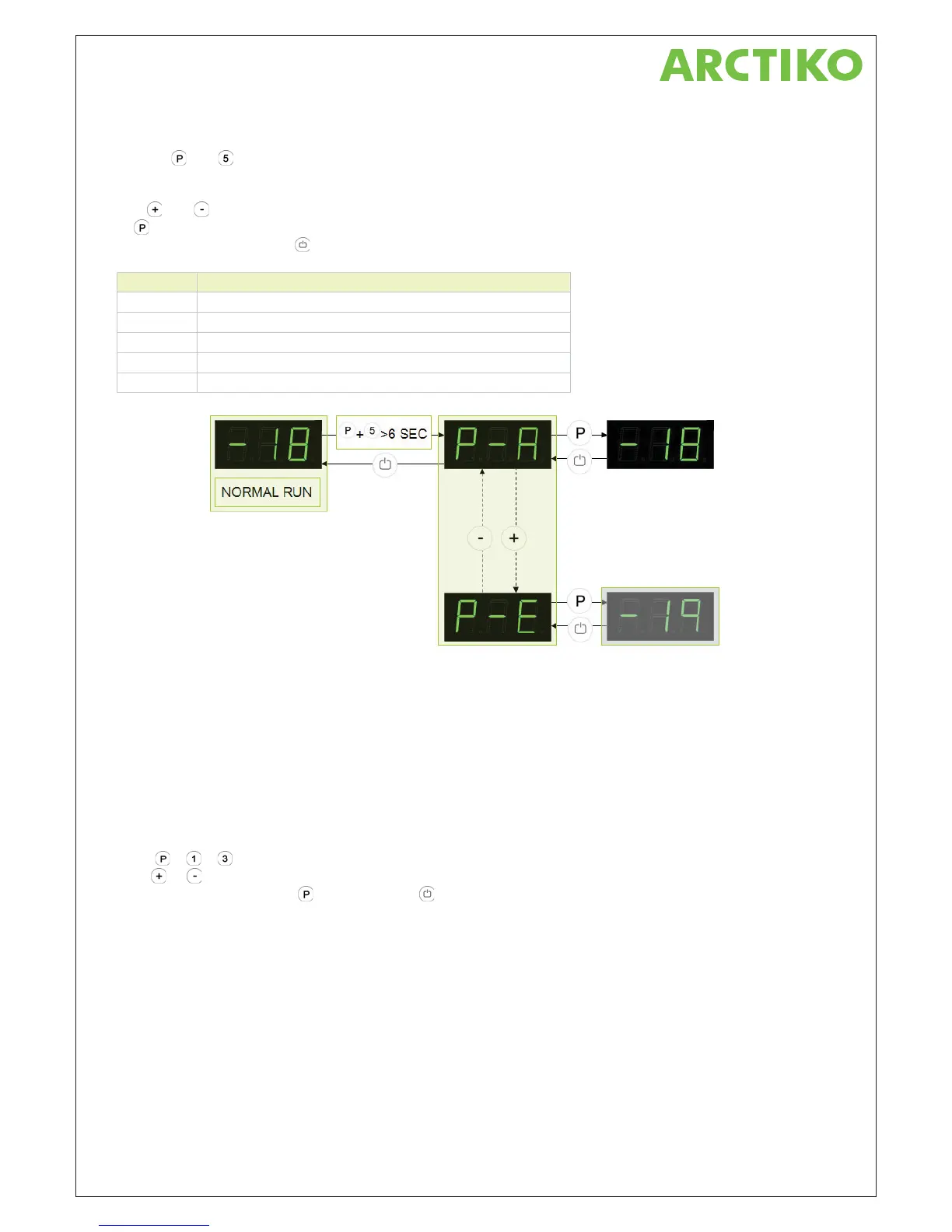
Value indication of sensor inputs
Push on and buttons at the same time in more than 6 sec. and the menu item [ P-A ] appears in the
display.
With
and buttons its possible to look through each menu items to check each sensor in the cabinet. Push
on
button to activate the actual sensor and the display shows the actual temperature.
Leave the program with the
button.
Parameter Description
P-A Value indication of sensor input A (room sensor)
P-b Value indication of sensor input B (evaporator sensor)
P-c Value indication of sensor input C (condenser sensor 1)
P-d Value indication of sensor input D (condenser sensor 2)
P-E Value indication of sensor input E (extra sensor e.g. sensor to GDL)
Earlier Software versions
From 016 to 127: version 1.8
From 127 to 138: version 2.0
From 138 version 2.1
Reset the controller to factory setting
To reset the controller to factory settings:
Push
+ + for more than 6 seconds. The display shows "l", if any parameters have been changed.
Push
or until "0" is displayed, and the controller is reset to factory setting.
To confirm the setting, push
, and then twice to return to normal operation mode.



 To Next Page