- 9 -
Operation of the alarm historic in situation 2.
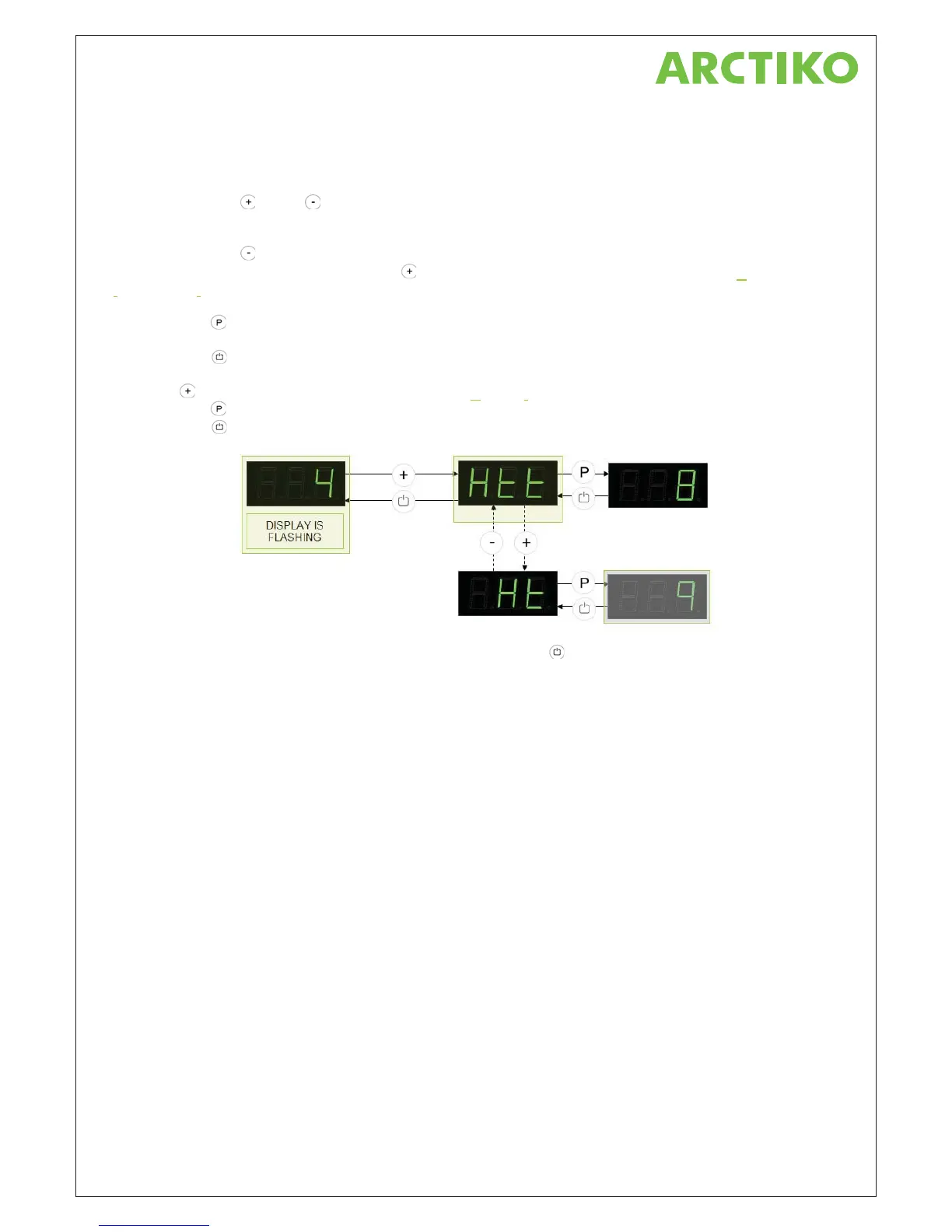
Monday morning we are standing in the front of the cabinet and the display is flashing.
The display is flashing because there had once been a fault. But the display is not showing which kind of fault!
When pressing the
and/or buttons its giving access to the surveillance systems menu items and memory.
So that’s what we do….
When pressing the
button and nothing happens in the display, then there hasn’t been any alarm attached to
the lower alarm limit. But when pressing the
button, the text Htt appears in the display. (Htt = High
t
emperature time).
Press now the
button and the display will now show the total time where the temperature has exceeded the
alarm limit. In this case the total time of 8 hours appears in the display.
Press now the
button to exit the indication of value and the display is now showing Htt again.
Press the
button and Ht appears in the display. (Ht=Highest temperature).
Press now the
button and the display will now show the peak temperature of +9 °C.
Press now the
button to exit the indication of value and the display is now showing Ht.
To leave the alarm historic for the high alarm again, then press the
button.
The display begins to flash again and is showing the actual temperature inside the cabinet again. The controller
and display returns to normal run again.
The flashing display tells that data from a faulty period still exist in the controller memory.
The controller also leaves the alarm menu automatically after 120 sec.
Example 2 – The alarm limit exceeds several times.
In this example the upper alarm limit is exceeded with two separate periods.
The example shows how the alarm historic stores the total time where the temperature has exceed the alarm
limit. It’s also showing the warmest temperature stored from both periods.



 To Next Page