- 16 -
Service program for relays and electrical components
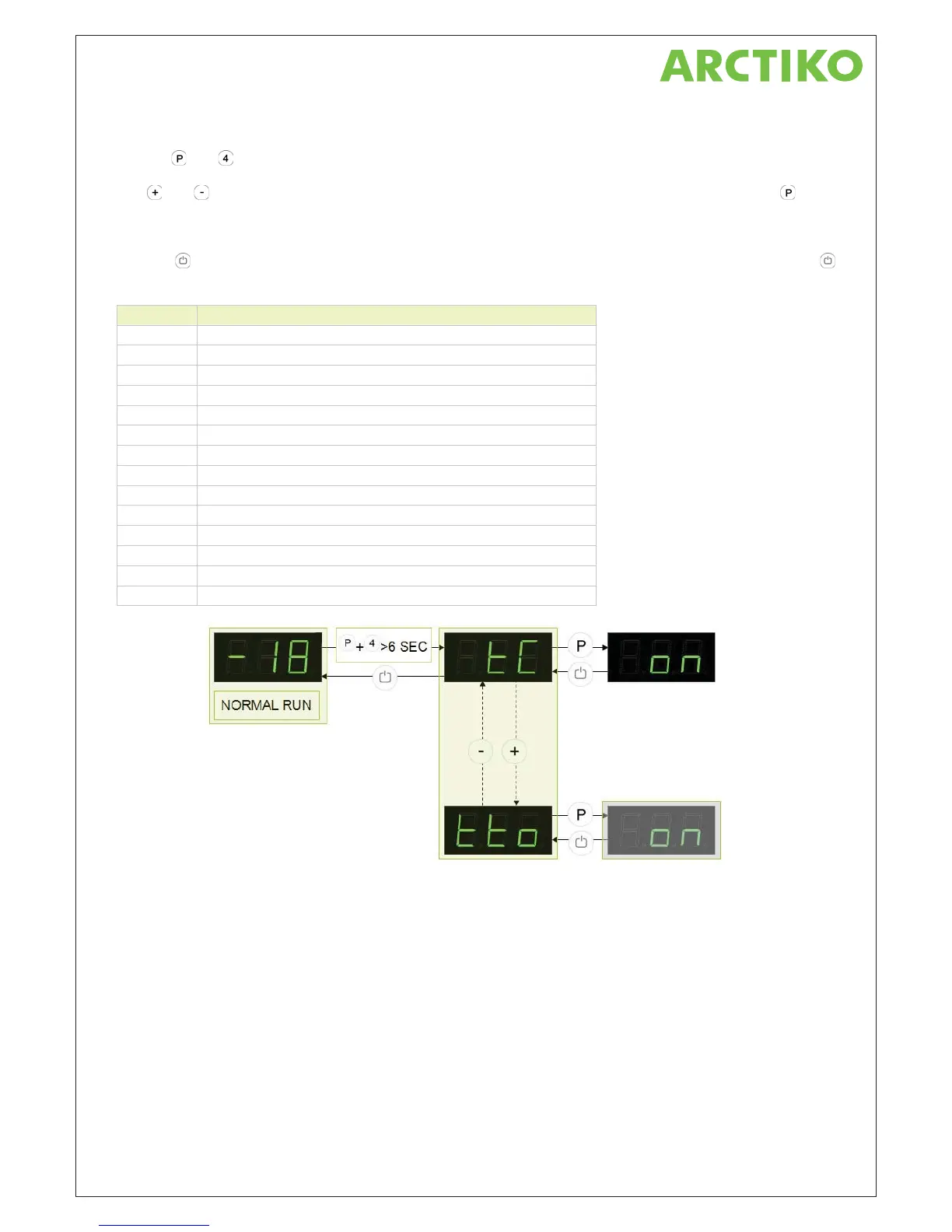
Push on and buttons at the same time in more than 6 sec. and the menu item [ tC ] appears in the display.
With
and buttons its possible to look through each menu items in the “Service program”. Push on
button to activate the desired relay and the display glows with [ on ]. The desired relay conducts now power to
the electrical component.
Push the
button to switch off the power from the electrical component. Leave the service program with the
button.
Parameter Description
tC Test of compressor and condenser fan
tF Test of evaporator fan
td Test of defrosting heating element
tL Test of light
tA Test of potential free alarm relay
t01 Value indication of sensor input A (room sensor)
t02 Value indication of sensor input B (evaporator sensor)
t03 Value indication of sensor input C (condenser sensor 1)
t04 Value indication of sensor input D (condenser sensor 2)
t05 Value indication of sensor input E (extra sensor e.g. sensor to GDL)
tdP Test of display
tHy Value indication of the hysteresis
tnd Value indication of amount of defrosts/24 h
tto Indication of offset value



 To Next Page