2 Get started Attach the power cord
9
2 Get started
This chapter describes how to set up your printer.
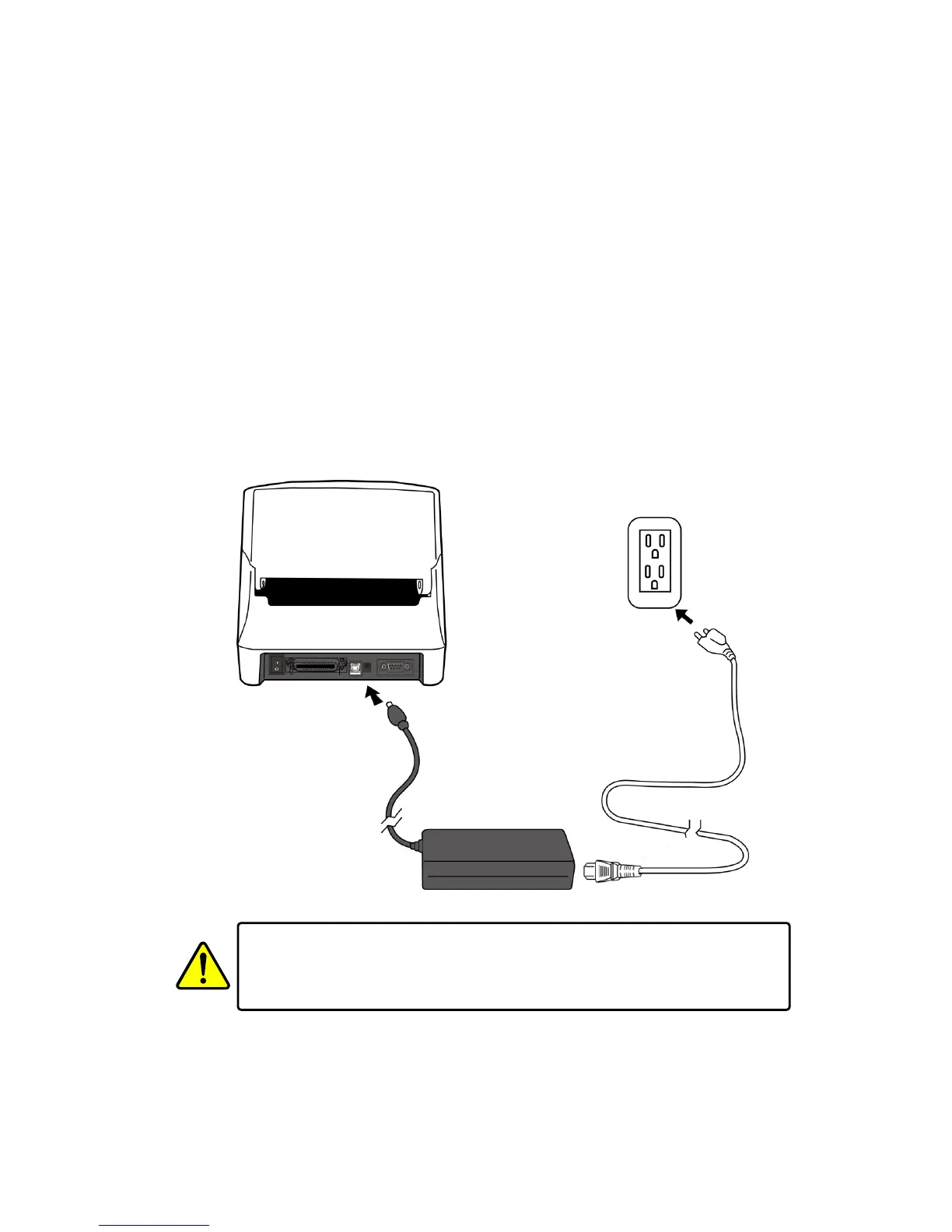
2.1 Attach the power cord
1. Make sure the power switch is set to the OFF position.
2. Insert the power supply’s connector into the printer power jack.
3. Insert the AC power cord into the power supply.
4. Plug the other end of the AC power cord into the wall socket.
Important Use only power supplies listed in the user instructions.
Warning Do not plug the AC power cord with wet hands, or operate the
printer and the power supply in an area where they may get wet. Serious
injury may result from these actions!


 To Next Page