2 Get started Load media
12
2.3 Load media
There are various types and sizes for the media roll. Load the applicable
media to satisfy your need.
2.3.1 Prepare media
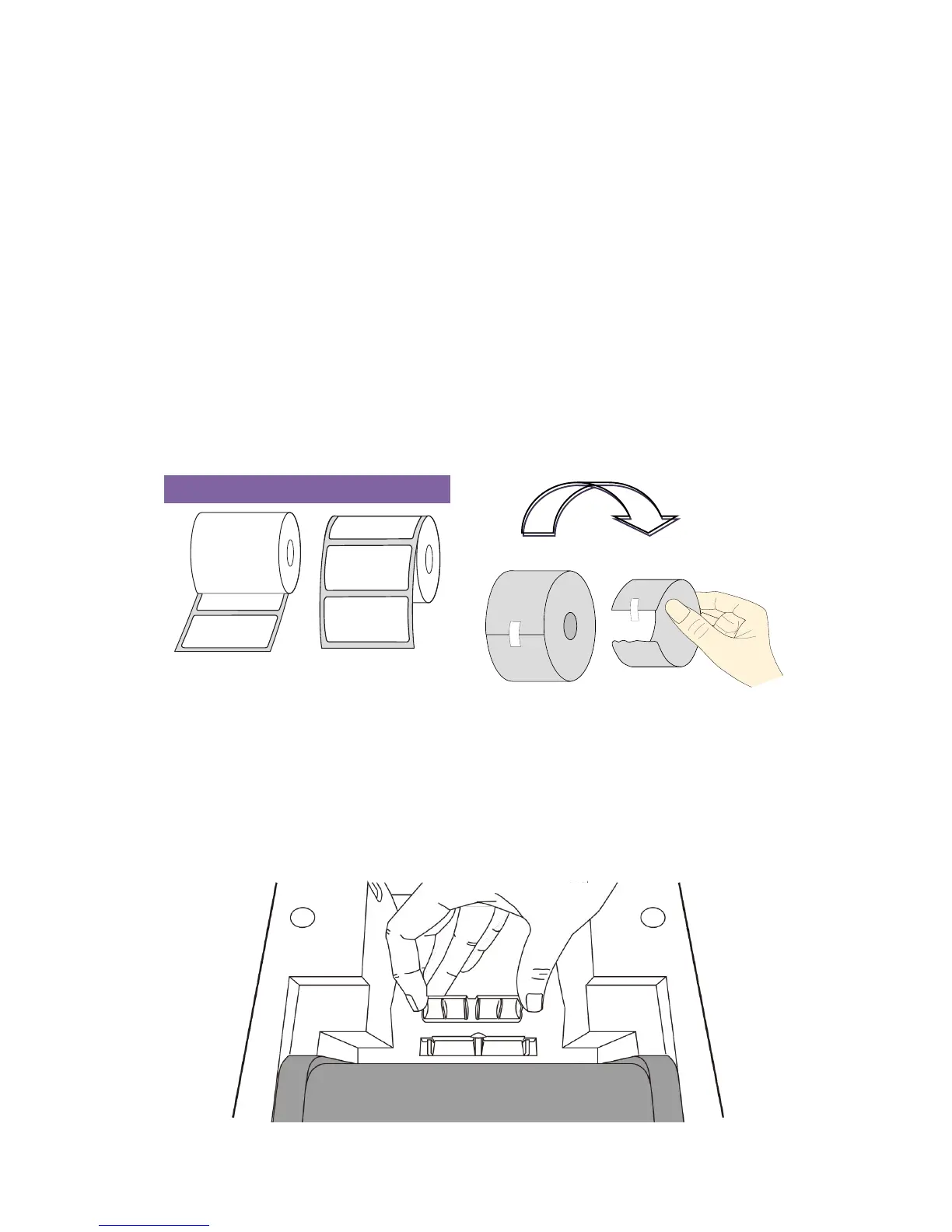
The inside wound and outside wound media roll can be loaded into the
printer the same way. In case the media roll is dirty during shipping,
handling or storage, remove the outside length of the media. It helps avoid
dragging adhesive and dirty media between the printhead and platen roller.
When Using outside-wound media rolls, pick up the Media Support Rack as
shown below to ensure a steady feed of the media roll
1. Pick up the Media Support Rack.
2. Reverse Media Support Rack as below and put it back. Press it until you
hear the click.


 To Next Page