2 Get started Load media
13
2.3.2 Placing media roll
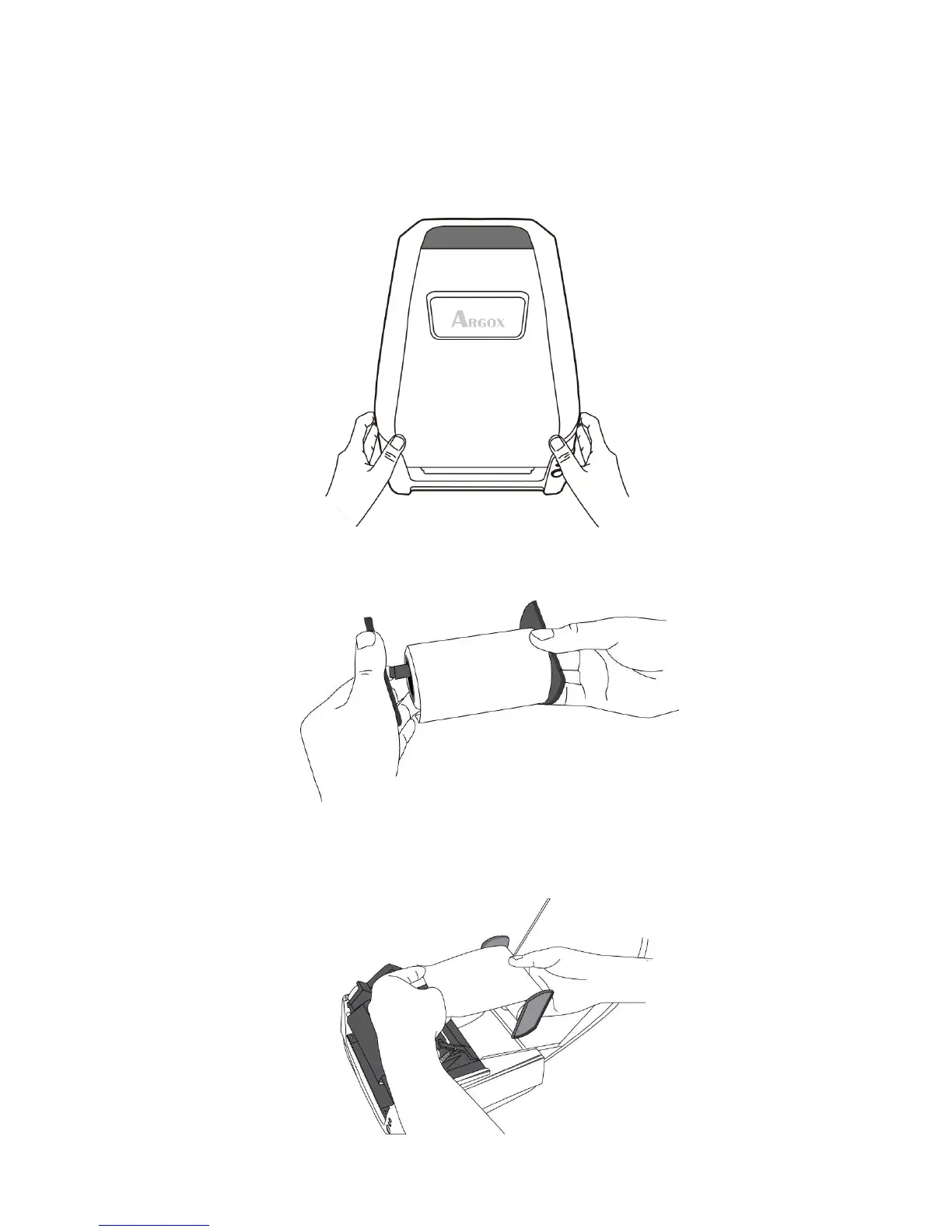
1. Open the top cover of the printer.
2. Put the Media Hanger through media supply roll, and then centrally align
with the two Media Shields to closely lean against the media supply roll.
3. Locate the media supply roll into the Media Compartment of printer.
Caution Do not ship or bring the printer while it holds a label roll.


 To Next Page