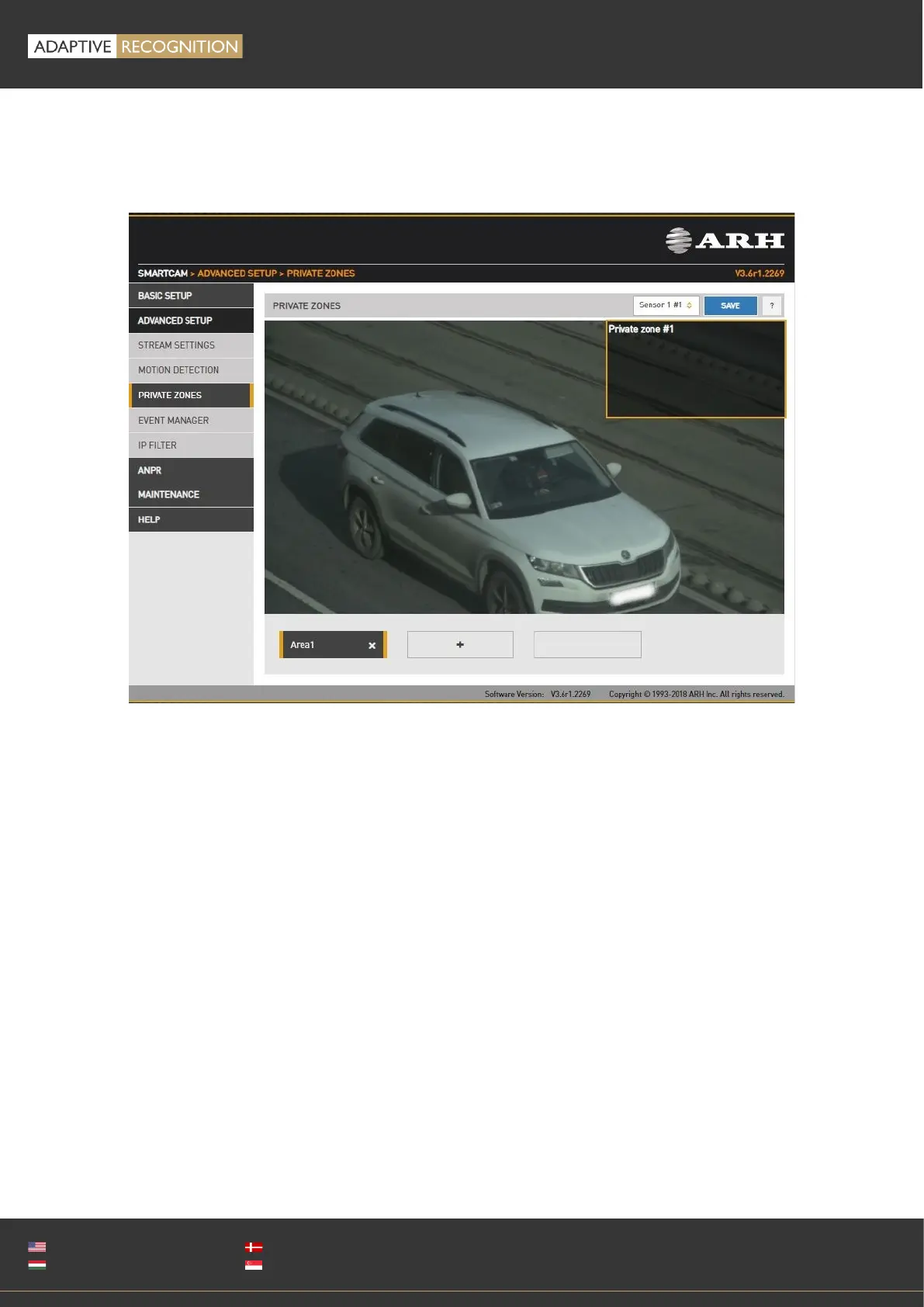
12.1.1. PRIVATE ZONES
WEB INTERFACE > ADVANCED SETUP > PRIVATE ZONES
In certain circumstances it may be necessary to cover a part of the image, for instance, a parking
place near the monitored lane, where the stationary vehicles should not be in the image, and
their license plates should be excluded from processing, or when private property is displayed.
These unwanted parts can be covered with a maximum of 3 rectangular zones using the Private
zones tool.
Each time an area is added, a rectangular box (with yellow edges) shows up in the left upper
corner. This rectangle is resizable and can be positioned on the image field in the required
position. After clicking on the SAVE button, the defined area will be filled with black color, which
you can be seen on the live view and on the streams as well.



 To Next Page