17
4.0 Operation
4.1 Powering Up
NOTE: The manufacturer’s recommendation is for the operator to wear nitrile or other
gloves during basic operation of the NOMAD Pro 2.
Press and release the Power
button to turn on NOMAD Pro 2. An audible double
tone and an active display panel indicate the device has power.
Technique factors are redisplayed according to what was displayed when the device was
turned off, along with the last saved time setting.
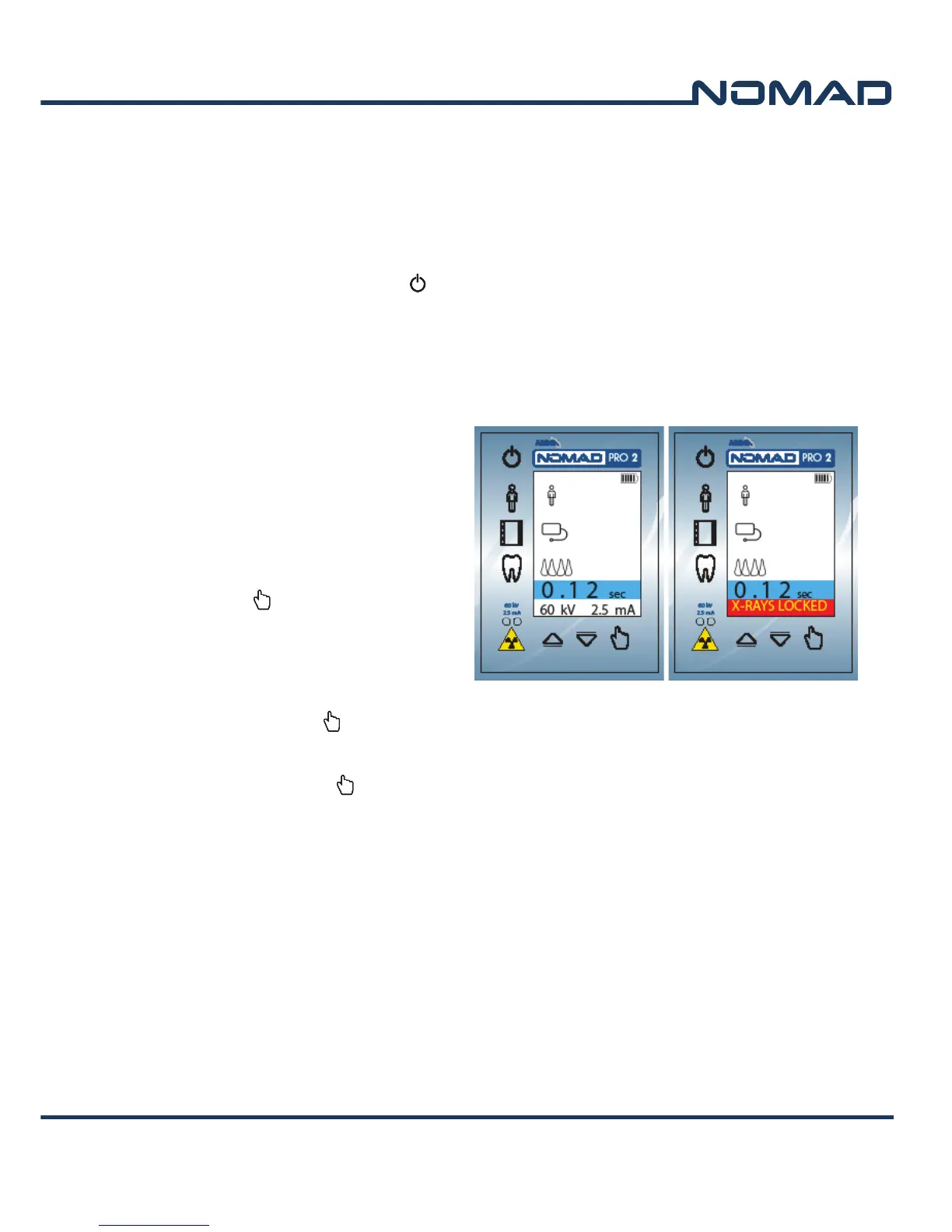
4.2 Lock/Unlock the X-ray
The X-ray lock and unlock
functionality can be activated to
prevent unauthorized use when the
NOMAD Pro 2 is idle or stored. This
functionality may also be used for
training purposes.
To lock the X-ray, first press and hold
the Select
button while pressing
the Patient button. The device shifts
into an X-rays Locked state, and the
buttons can be released. Repeat the
process to unlock the X-ray device.
NOTE: If the Select button is held
down for longer than 3 seconds
before the Patient button is pressed, the Menu mode will
activate; if the Select button is pressed and released before the Patient button is
pressed, the Save menu is displayed.
4.3 Ensuring the Right Exposure Time is Set
When power is turned off, the most recent setting for the exposure time is stored in the
memory and redisplays when power is turned back on. However, if the battery is replaced,
the display is reset to the default value.
To change exposure settings press each of the buttons to toggle through the choices:
1) the Patient Size (adult or child)
2) the Image Receptor (film, phosphor plate, or sensor)
3) the Tooth Group (anterior, posterior, or bitewing)
X-ray is unlocked X-ray is locked


 To Next Page