14
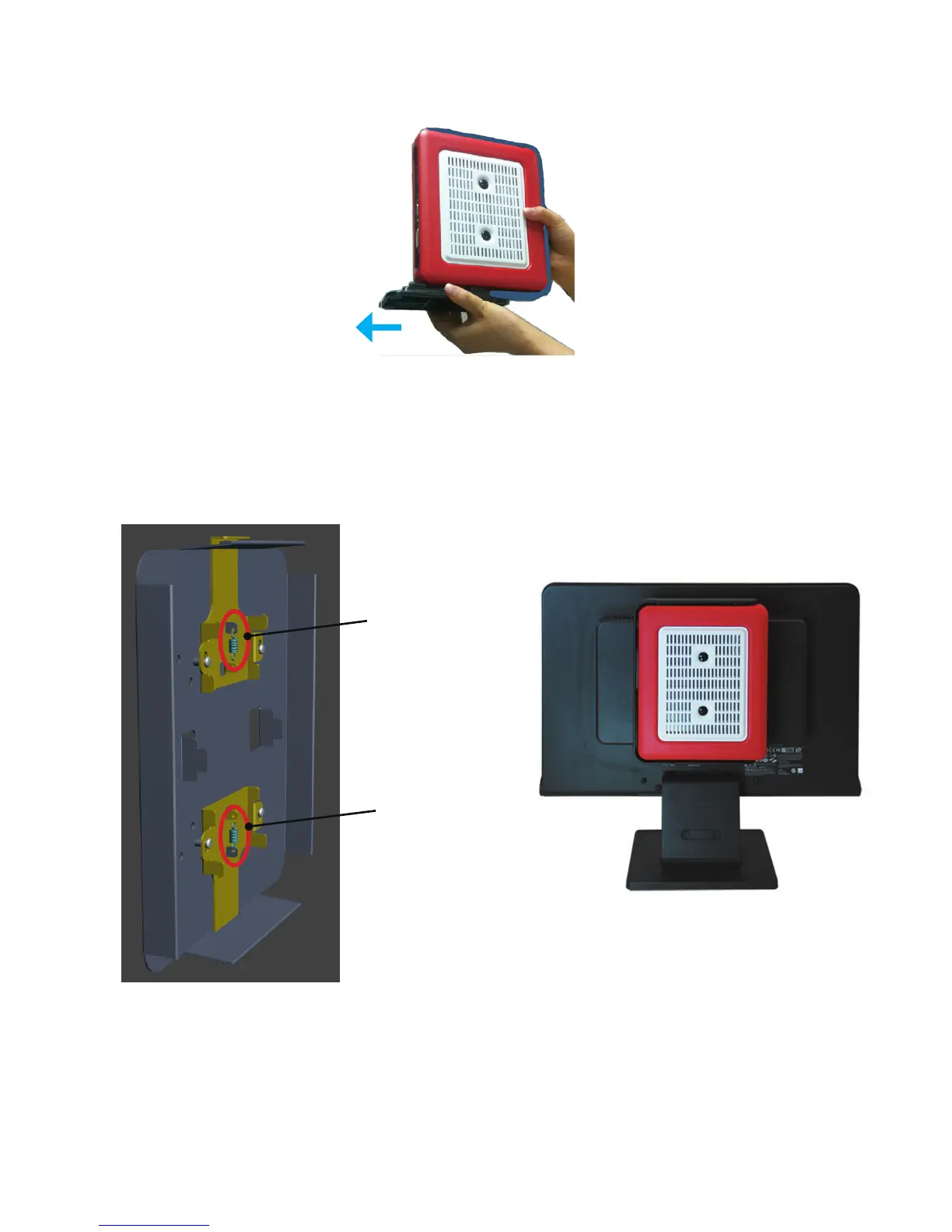
Spring hook
Spring hook
Step3.
If the AP-3500-E01OceThinClient is desktop mounted, please slide the desktop
stand base out to remove it from the unit.
Step4.
Snag the white bottom base of the AP-3500-E01 Oce Thin Client with the two
Spring hooks on the VESA bracket installed on the display. Make sure the AP-3500-E01
OceThinClientiscorrectlyandsecurelyseatedontothedisplay.


 To Next Page