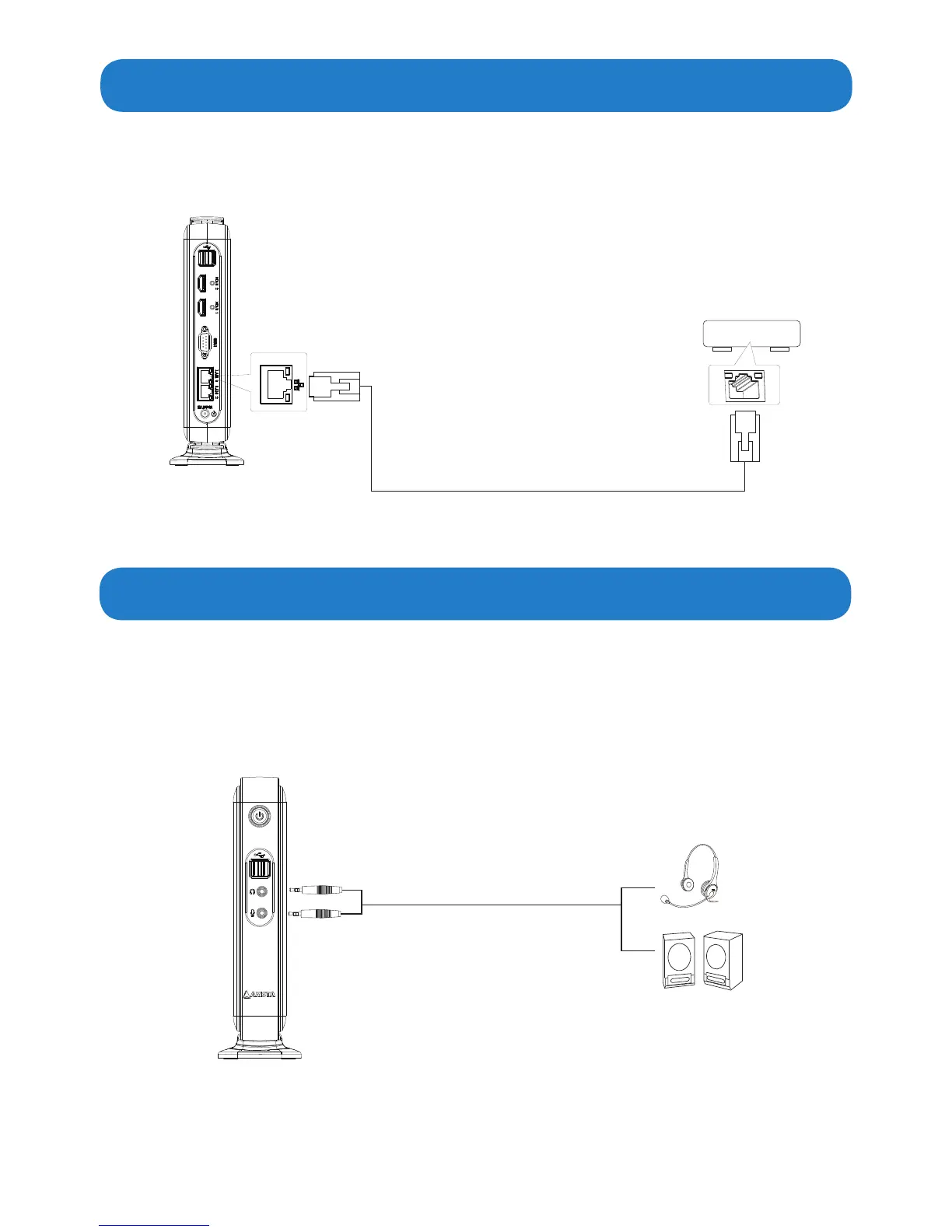
• ConnectoneendoftheRJ45LANcabletotheLANportoftheAP-3500-E01Oce
Thin Client. Connect the other end of the RJ45 LAN cable to the LAN port of a modem.
• Connect the earphone end of the audio cable to the Earphone jack of the AP-3500-E01
OceThinClient.ConnectthemicrophoneendoftheaudiocabletotheMicrophone
jack of the AP-3500-E01 Office Thin Client. Also, you can connect to a speaker by
connectingtotheEarphonejackoftheAP-3500-E01OceThinClient.
LAN port
3.5mm audio cable(not supplied)
earphone/headpone
Speaker
LAN port
RJ45 LAN cable(not supplied)
AP-3500-E01
AP-3500-E01


 To Next Page