19
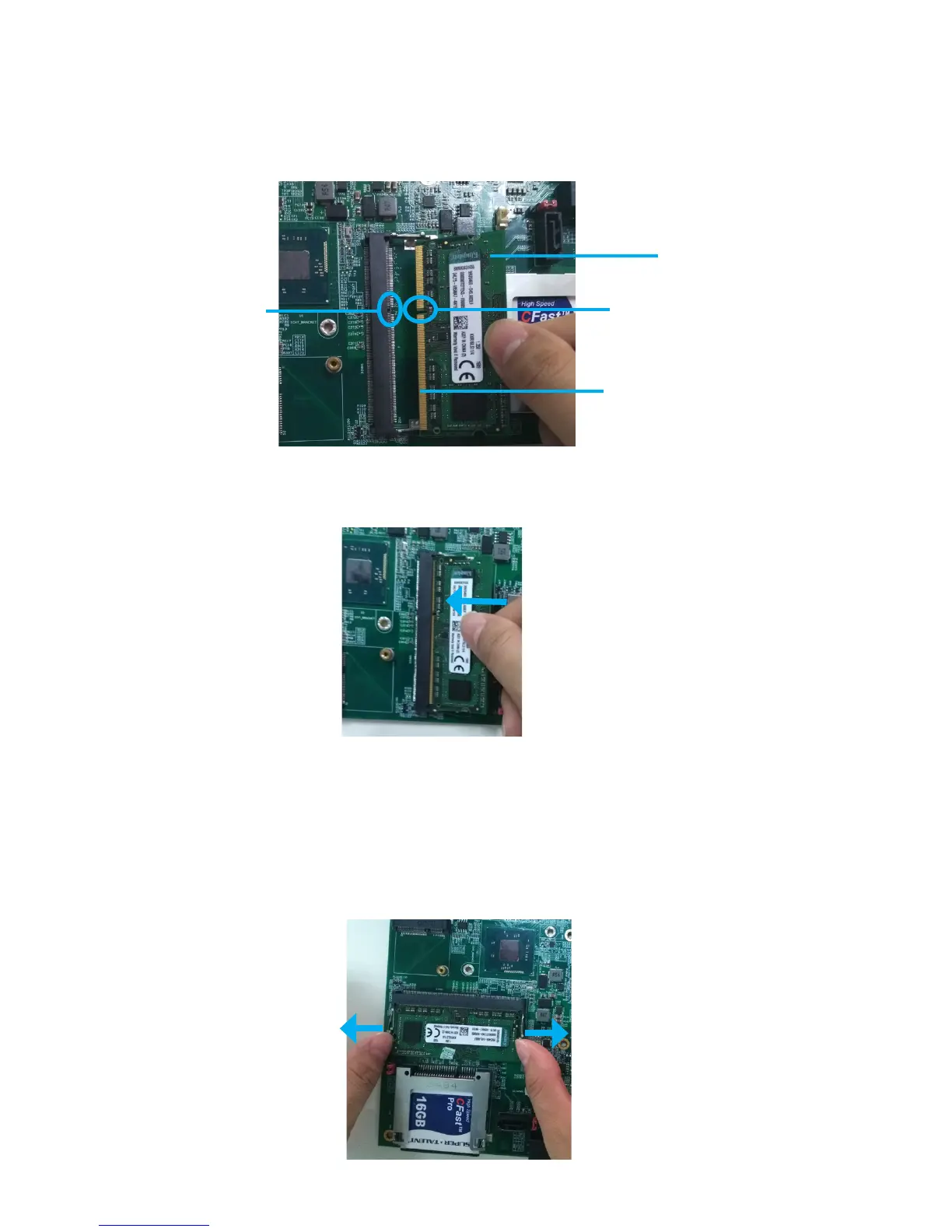
Follow the steps outlined below to install the SO-DIMM.
1. Locate the DIMM on the SO-DIMM slot and align the notch on the DIMM with the key on
the slot.
Note:
DO NOT force a DIMM into a slot to avoid damaging the DIMM.
2. Insert the DIMM into the slot at 45-degree angle, then pushitinuntilthegoldennger
on the DIMM is deeply inserted into the DIMM slot.
3. Firmly press the DIMM down to lock the module in place.
Follow these steps to remove the DIMM.
1.Useyourngertosimplypushawaytheretainingclipsonbothsidesofthe
DIMM
slot outward to unlock the DIMM.
Removing the memory module
The notch on
the DIMM
DIMM
Goldenngeron
the DIMM
The key on
the slot



 To Next Page